

Introducing College Matching: Know Which Schools Fit You Best
Every program in your divisions, ranked by how well it fits what you want in a college, with a match % and the plain-English reasons behind it.

Colin McAtee
Founder
There are hundreds of college programs in your sport. You can't email all of them, and you shouldn't. The hard part of recruiting isn't finding schools. It's figuring out which ones are actually worth your time.
That's what College Matching does. Tell us what you want in a college, and we'll rank every program in your sport and divisions by how well it fits, with a match % and the reasons behind it. It's live today for every athlete on ProductiveRecruit.
A ranked list, with the why
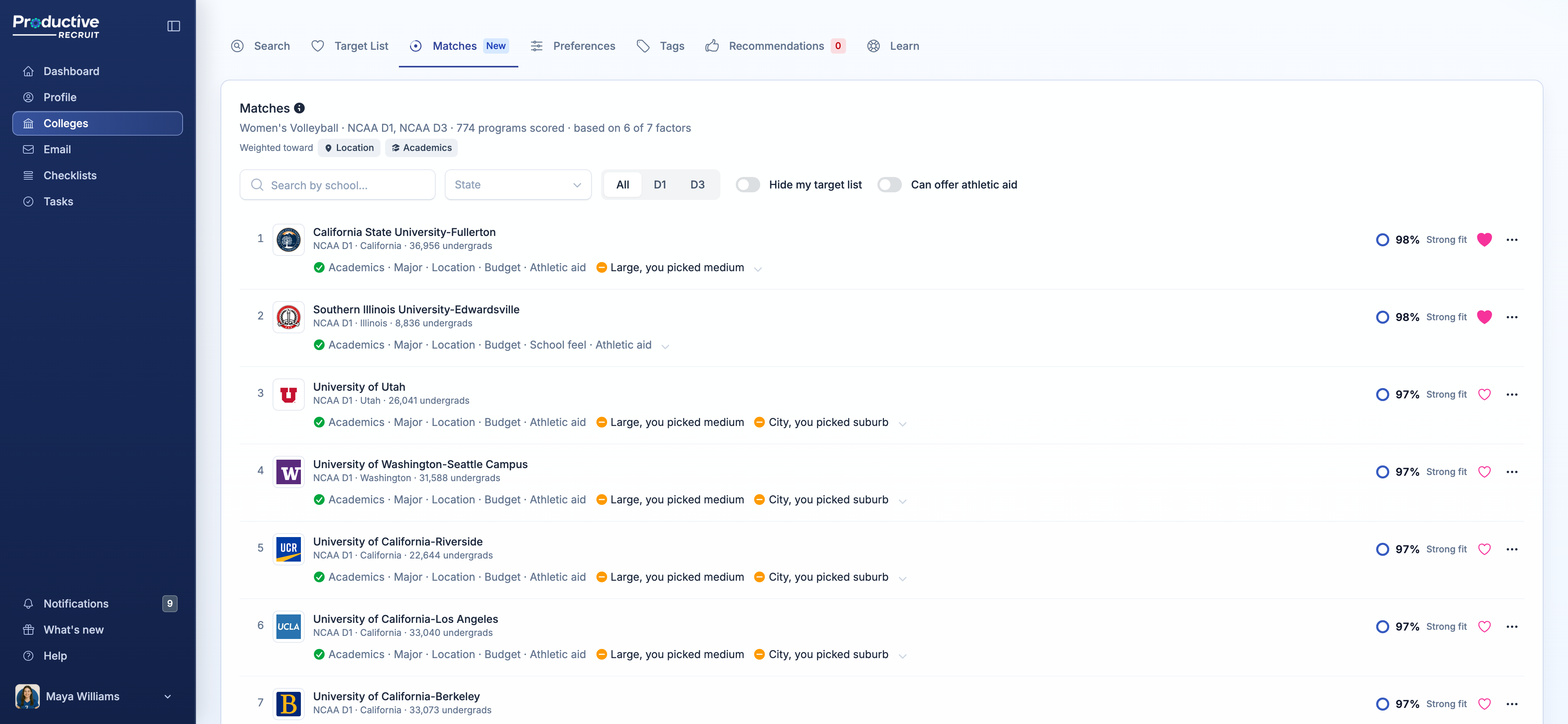
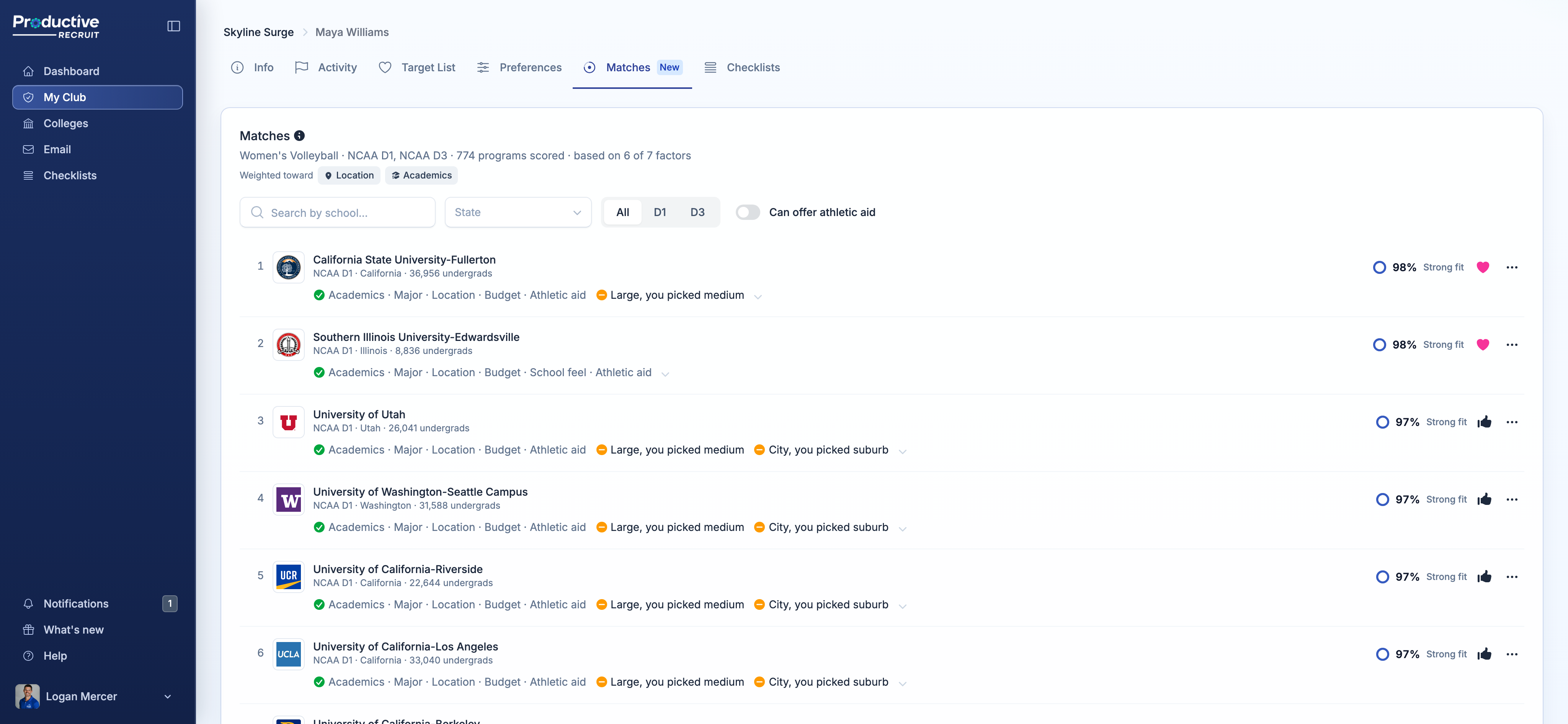
Open Colleges and click Matches. Every program in your divisions is there, ranked from best fit down, and each one has:
- A match %, with a label: Strong fit (85% and up), Good fit (70 to 84%), or Reach
- A one-line summary of what fits and what doesn't, like "Academics · Major · Location · Budget" followed by "Large, you picked medium"
Click that line and you get the full breakdown, one factor at a time, with the real numbers. Your 3.8 GPA against the school's 3.66 average. Your SAT inside their range. Their net price against your budget.
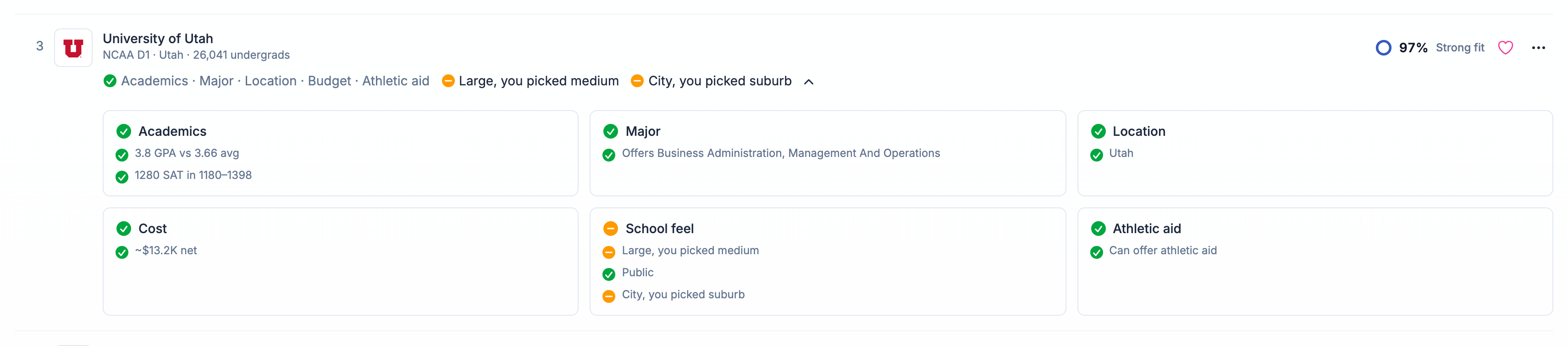
No mystery score. If a school ranks high, you can see exactly why. If it ranks low, you can see what's holding it back.
What goes into the score
Each school is scored on seven things:
- Academics: your GPA and test scores compared to the school's
- Major: whether they offer what you want to study
- Location: your states, or distance from home
- Cost: the school's average net price against your budget
- School feel: size, setting, public or private
- Athletic aid: whether the program can offer athletic scholarships
- Religious: religious affiliation, if it matters to you
Academics counts the most. And you get a say: pick up to two things that matter most to you, like location or cost, and they count extra in every score.
If a school is an academic stretch, it's marked as a Reach and capped at 60%. If you need athletic scholarship money, schools that can't offer it, like NCAA D3 and the Ivy League, are capped at 50%.
What it doesn't do
College Matching doesn't tell you what level you can play at. That's a call for you, your coaches, and the college coaches who watch you play. It's not something software should be guessing.
Instead, you pick your divisions, and we rank every program inside them. Want to see how D2 schools stack up too? Add D2 to your preferences and they're scored right away.
Your match shows up everywhere
You don't have to go to the Matches page to see how a school fits:
- College Search sorts by Best match by default, and shows your match % on every card.
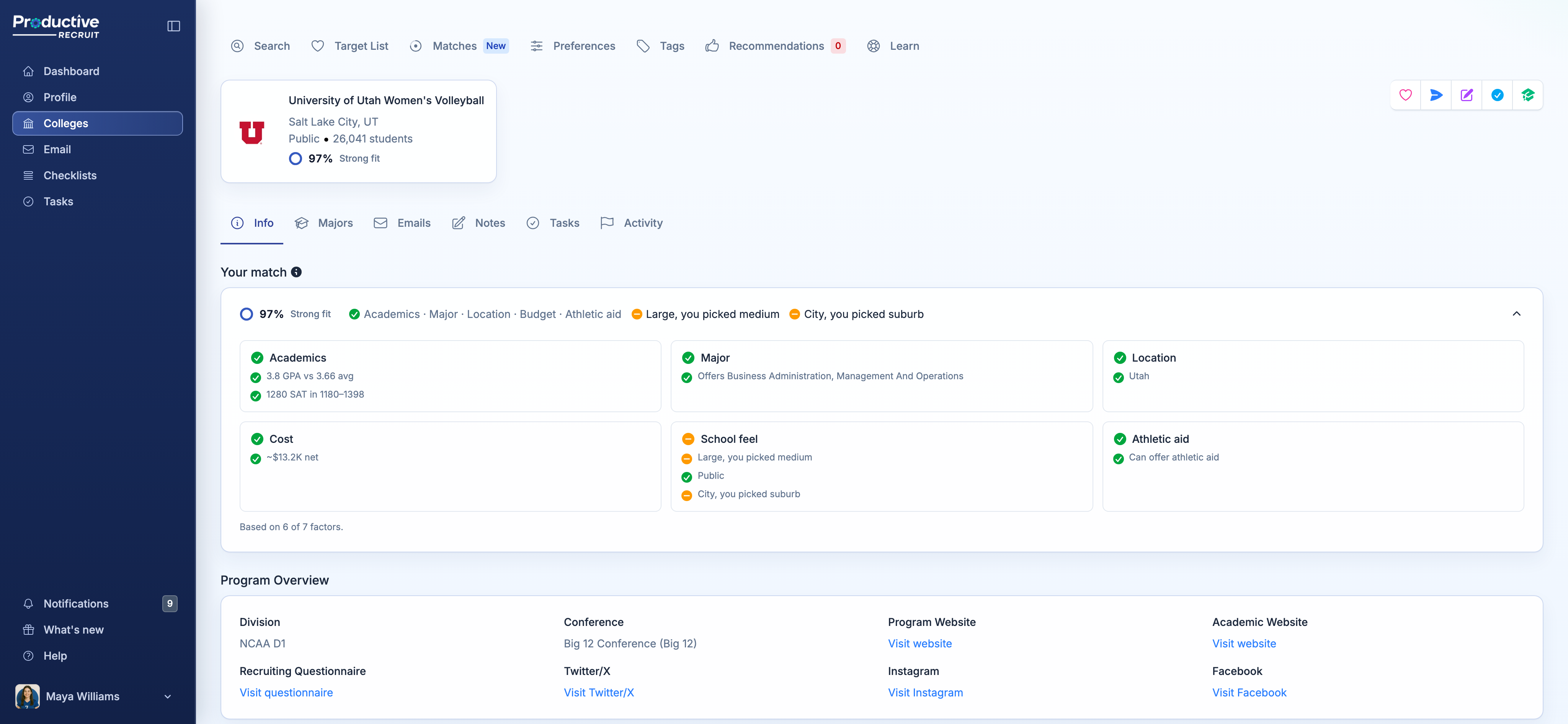
- Every program page shows your match % under the school's name, with the full breakdown on the Info tab.
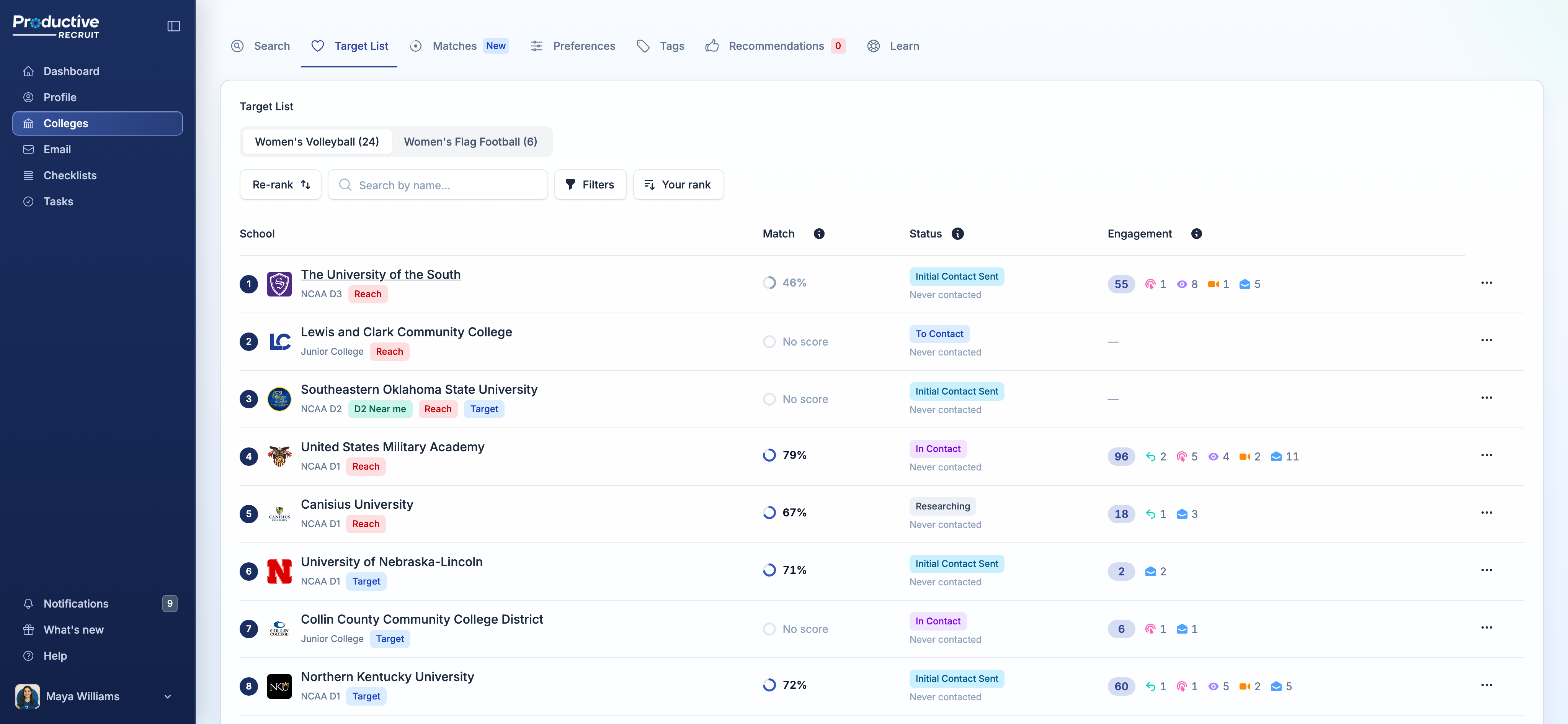
- Your target list has a new Match column, so you can see at a glance which schools on your list are a strong fit and which ones are a stretch.
If a school on your list shows No score, it's in a division you haven't picked. Click it and add that division in one click.
For clubs, high schools, and recruiting services
If you work with athletes, open any athlete on your roster and click their Matches tab. You'll see the same ranked list they see, with the same breakdown, so you can talk through their list with real reasons in front of you.
Find a school they should look at? Hit Recommend, add a note about why, and they get a notification to add it to their list. If an athlete hasn't filled in their preferences yet, you can fill them in for them, and their matches show up as soon as you save.
Get your matches
Head to Colleges, then Matches. If you haven't filled in your college preferences yet, you'll see a short checklist. You need your divisions, plus at least two of majors, location, and budget. It takes about two minutes, and the more you fill in, the sharper your matches get.
Your matches update on their own. Raise your GPA, retake the SAT, or change your mind about staying close to home, and everything re-ranks.
The full details on how scores work are in College matches.


Ready to start your recruiting journey?
Join 25,000+ athletes using ProductiveRecruit to connect with college coaches.