
New for Organizations: Email Coaches About Your Athletes From Your Own Inbox
Staff at clubs, high schools, and recruiting services can now work an athlete's target list and email college coaches about them from their own inbox, without logging in as the athlete. Plus athlete pitch templates you write once.

Colin McAtee
Founder

If you run recruiting for a club, high school, or recruiting service, you've probably logged in as one of your athletes to fix their target list or send a coach an email for them. It works, but it's clunky, and every email went out from the athlete's account instead of yours.
You don't have to do that anymore. Staff can now work on an athlete's target list and email college coaches about them from your own inbox, without logging in as them. And new athlete pitch templates let you write the pitch once and use it for any athlete.
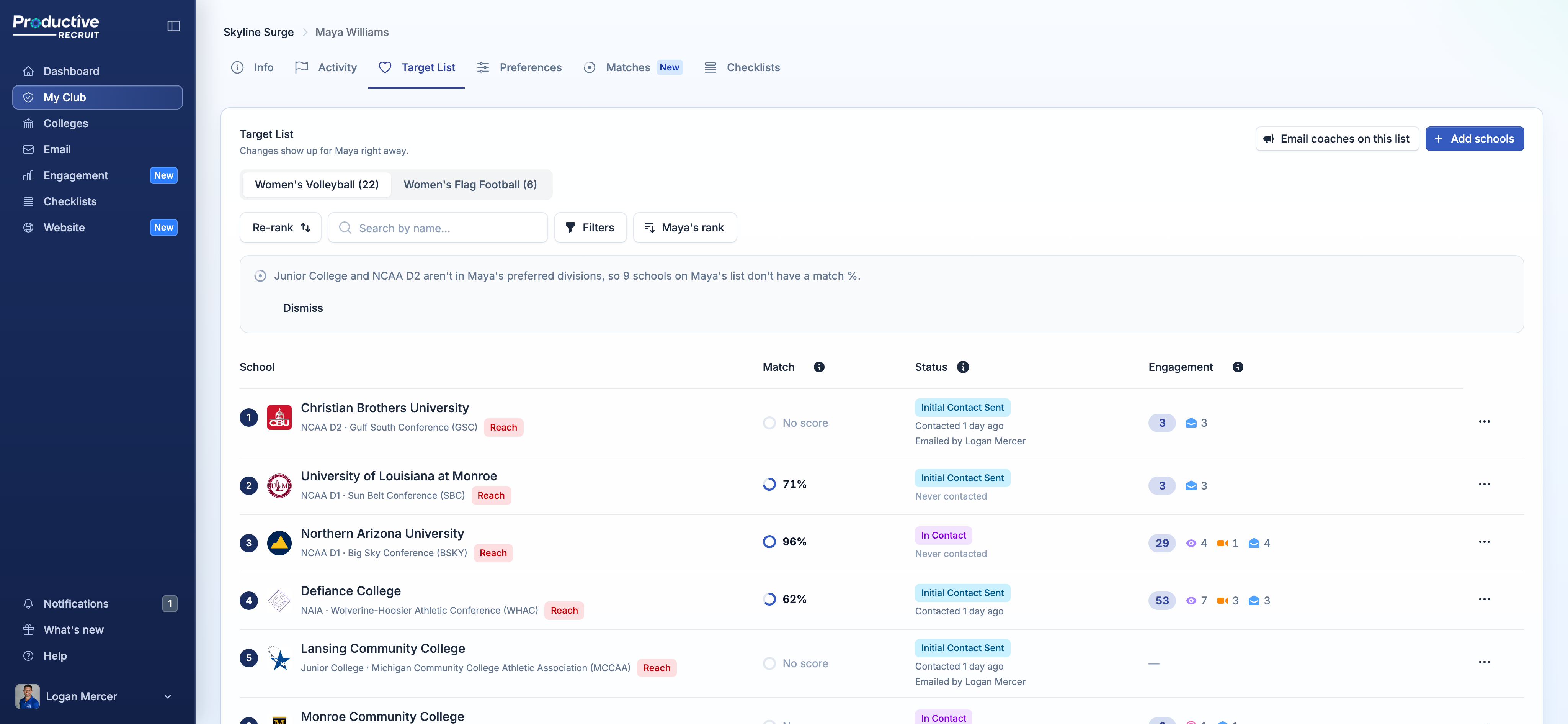
Work on their target list
Open any athlete's Target List and you can edit it like they would: change a school's status, edit tags, remove schools, and re-rank. Changes show up for the athlete right away.
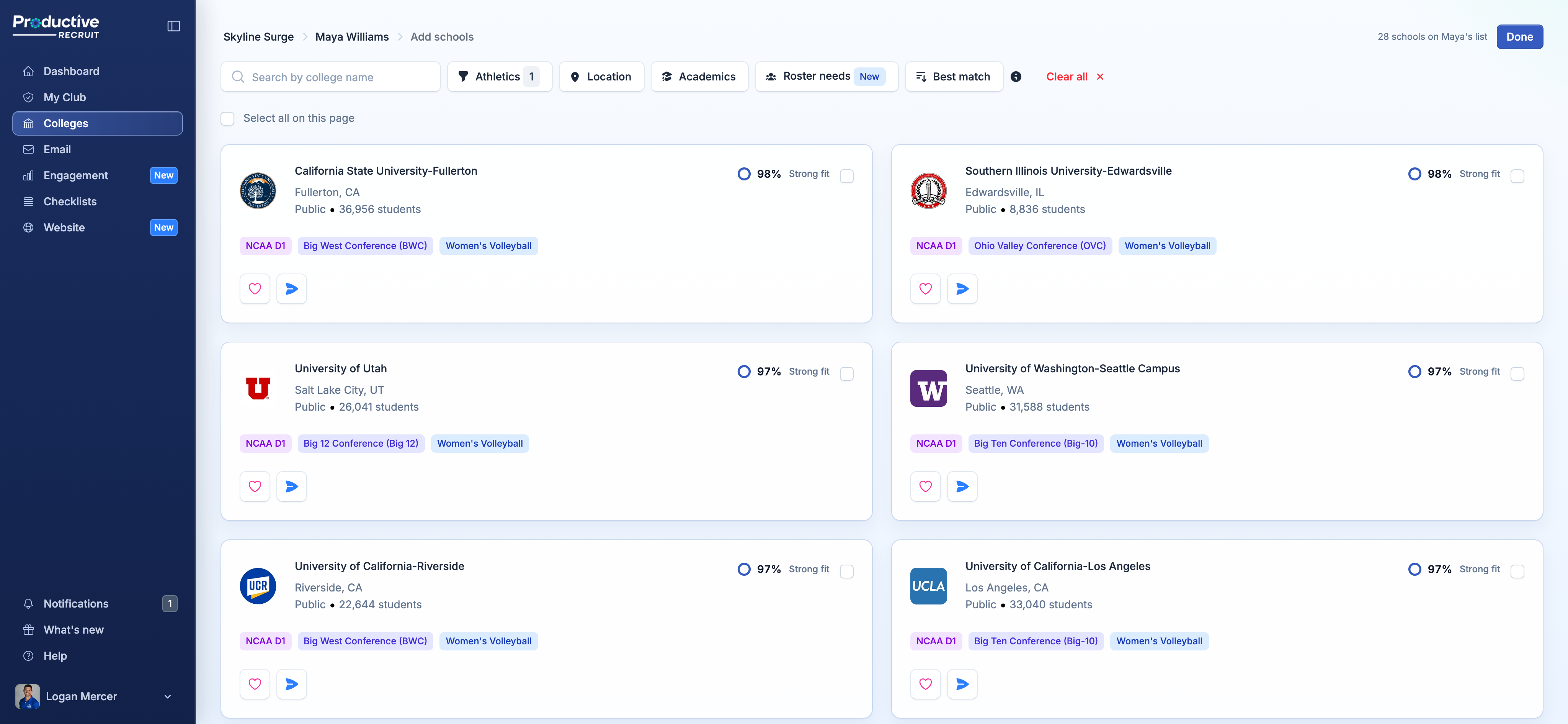
Add schools opens College Search for that athlete. You see their match % and which schools are already on their list, and anything you add goes to their list, not yours.
Email coaches about them, from your inbox
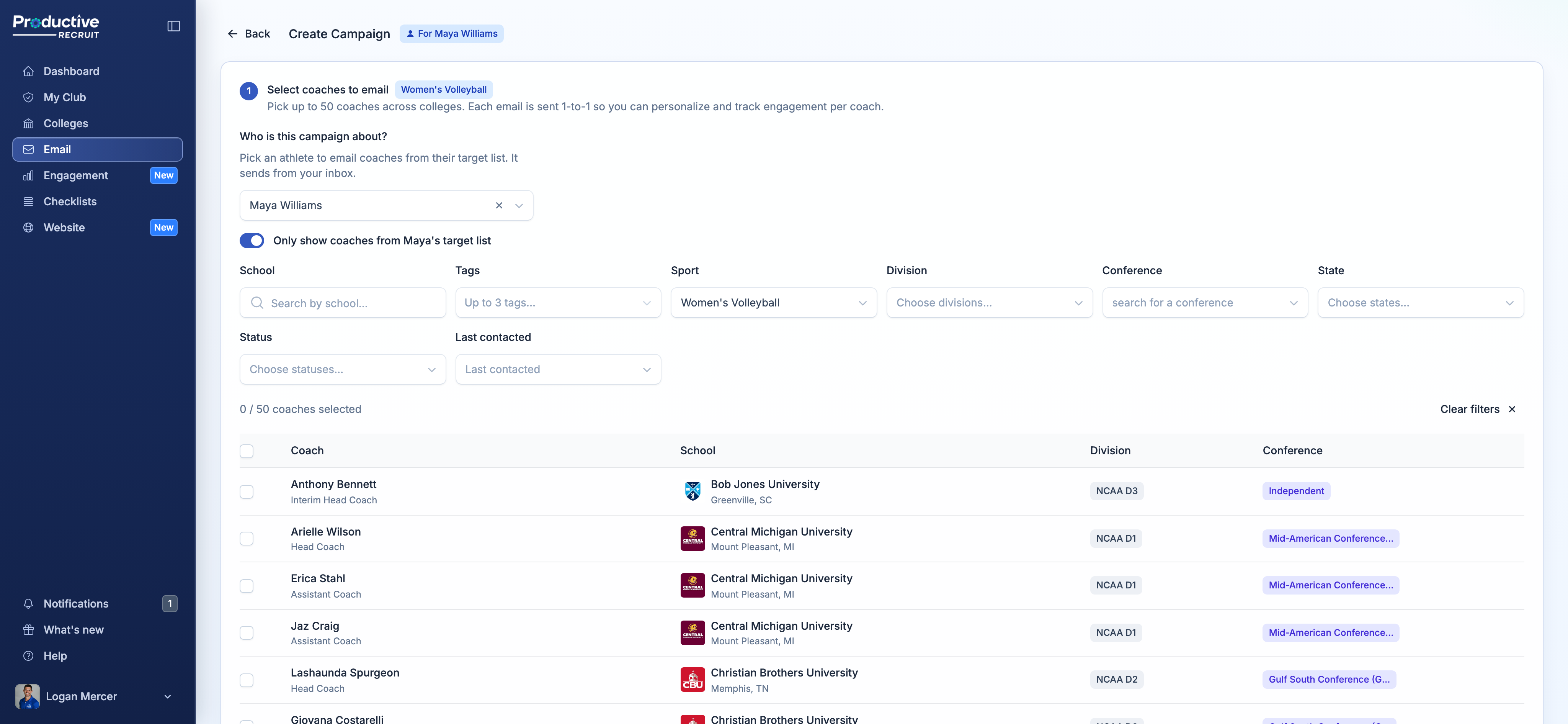
Campaigns and single emails now ask who they're about. Pick one of your athletes and the rest follows:
- In a campaign, the coach list comes from their target list, tags, and sports.
- Template tags fill in with their grad year, position, GPA, and more.
- It sends from your inbox, with your signature, and their profile link goes below it.
- Coach replies come back to you.
Their target list keeps up on its own, the same as when they send. Each school you email is marked contacted, and the row shows Emailed by with your name, so the athlete and the rest of your staff know who reached out.
The fastest way in is Email coaches on this list at the top of their target list. It opens a campaign with the athlete already picked.
Athlete pitch templates
A pitch is a template in your voice, recommending one of your athletes to a coach. There are two kinds:
- Any athlete. Write it once and use it for anyone. Their grad year, position, GPA, and other details fill in when you send.
- A specific athlete. The AI writes it from that athlete's full profile: honors, stats, bio, and a highlight video if you pick one.
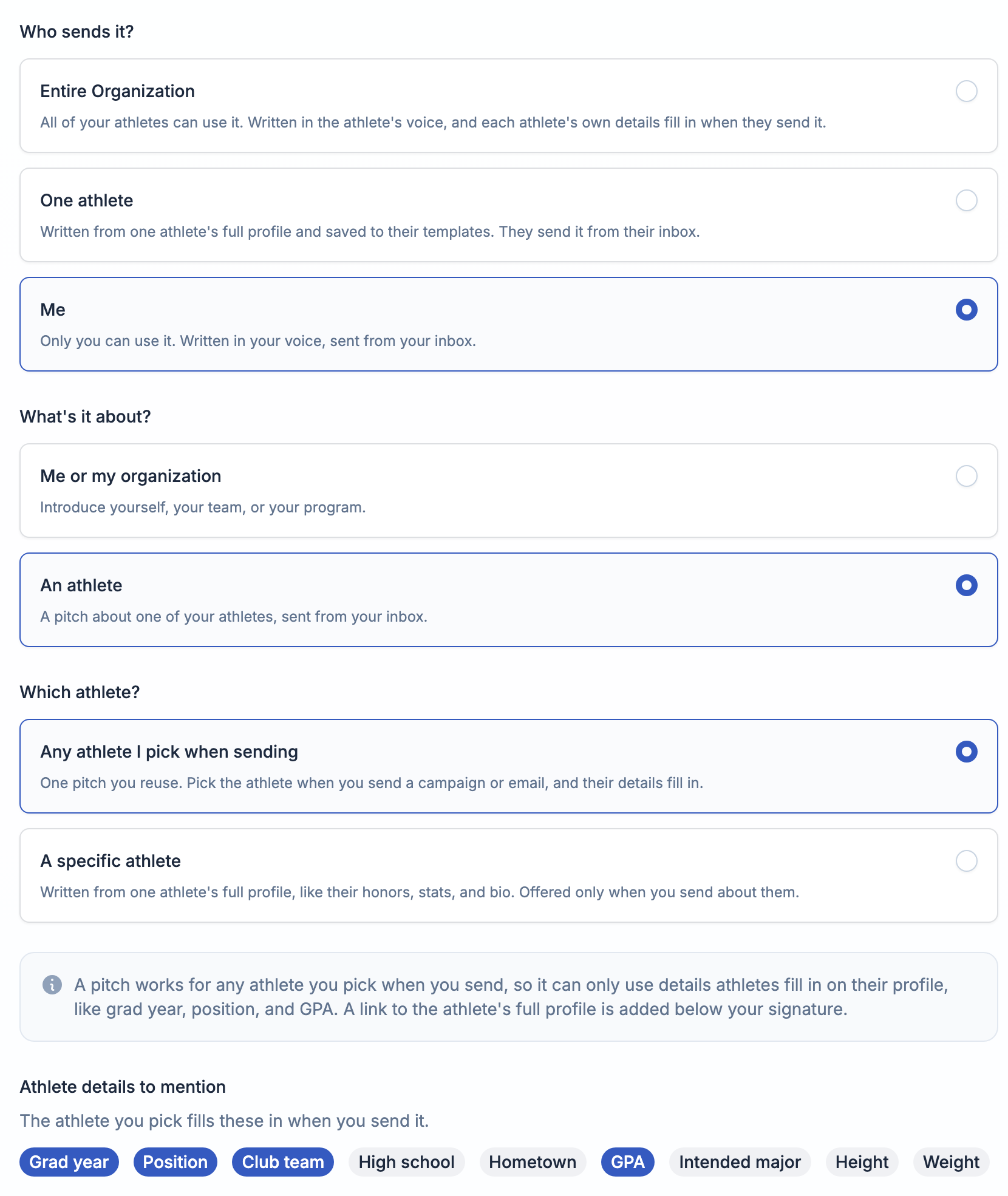
Pitches are saved to your templates. They only show up when you're emailing about an athlete, listed first, and a pitch for a specific athlete only shows up for them.
Who can use it
Super admins can do this for every athlete in the organization. Admins and coaches can for the athletes in their spaces, and a coach limited to their teams sees just those athletes. Campaigns and AI pitches are on any paid organization plan, and each staff member gets 30 AI generations a month.
Logging in as an athlete is still there for troubleshooting, when you need to see exactly what they see. For list and email work, you won't need it.
Try it
Already on ProductiveRecruit? Open any athlete's Target List and click Add schools or Email coaches on this list. The full walkthroughs are in Running an email campaign and Athlete pitch templates.
Run a club, high school, or recruiting service and want to see it with your roster? Book a demo.
Colin


Ready to start your recruiting journey?
Join 25,000+ athletes using ProductiveRecruit to connect with college coaches.