

New: Schedule Your Emails to College Coaches
Write your emails to college coaches whenever you have time, then pick when they go out: tomorrow morning, Monday at 8, or any time in the next 30 days. Scheduled emails wait on a new Scheduled tab, where you can edit them until they send.

Colin McAtee
Founder

A lot of recruiting emails get written at night, after practice and homework, once the house finally goes quiet. That's when you have time to write. It's not when a coach is sitting at their desk going through email.
Now you don't have to send it the second you finish. Write the email whenever you have time, click Schedule, and pick when it goes out.
This one came straight from you. After our October update, a reader replied asking if they could schedule emails for a set date and time. It's live now for everyone, on every plan.
How it works
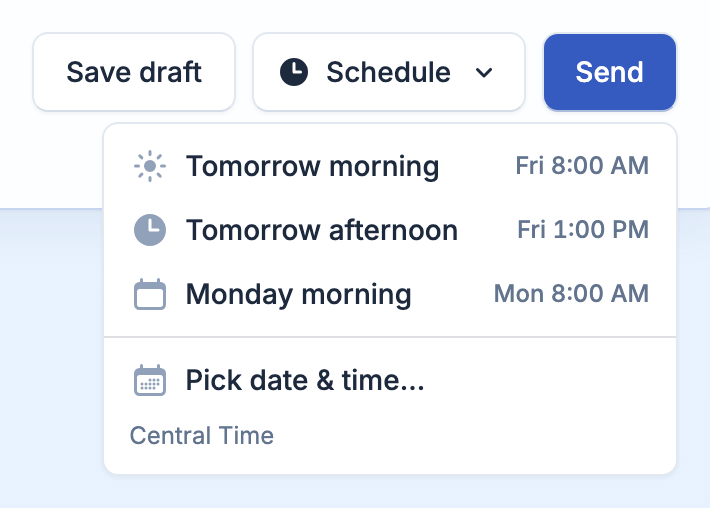
There's a new Schedule button next to Send in the email composer. Click it and pick:
- Tomorrow morning, 8:00 AM
- Tomorrow afternoon, 1:00 PM
- Monday morning, 8:00 AM
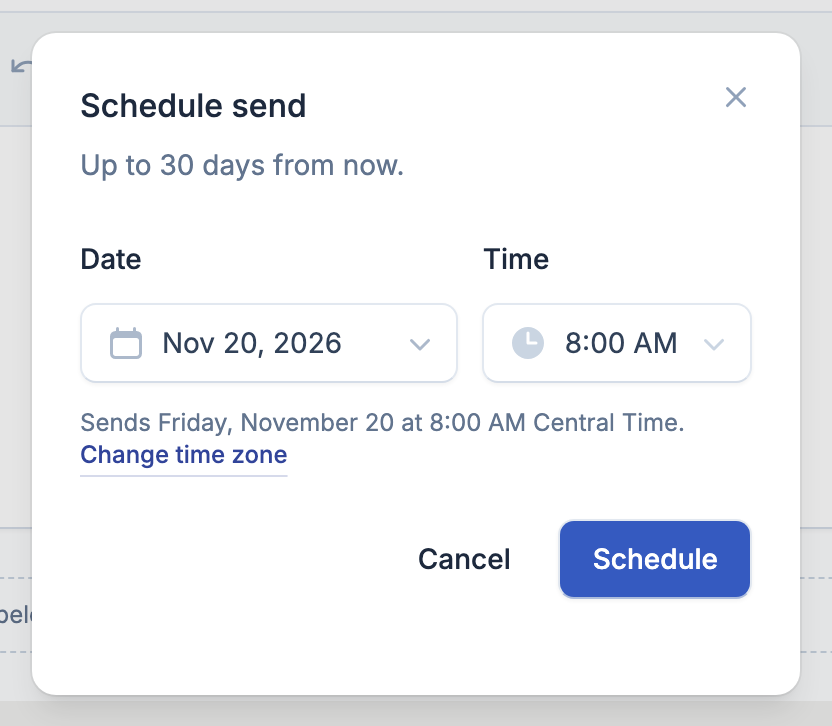
- Pick date & time for anything in the next 30 days
Times are in your own time zone from your Settings. When you pick a custom time, it reads it back to you ("Sends Friday, November 20 at 8:00 AM Central Time") so there's no guessing.
Have a draft you saved earlier? You can schedule that too.
Your Scheduled tab
Scheduled emails wait on a new Scheduled tab on your Emails page, soonest first. From there you can:
- Send now if you change your mind
- Edit the subject or message
- Change time
- Cancel and move to Drafts
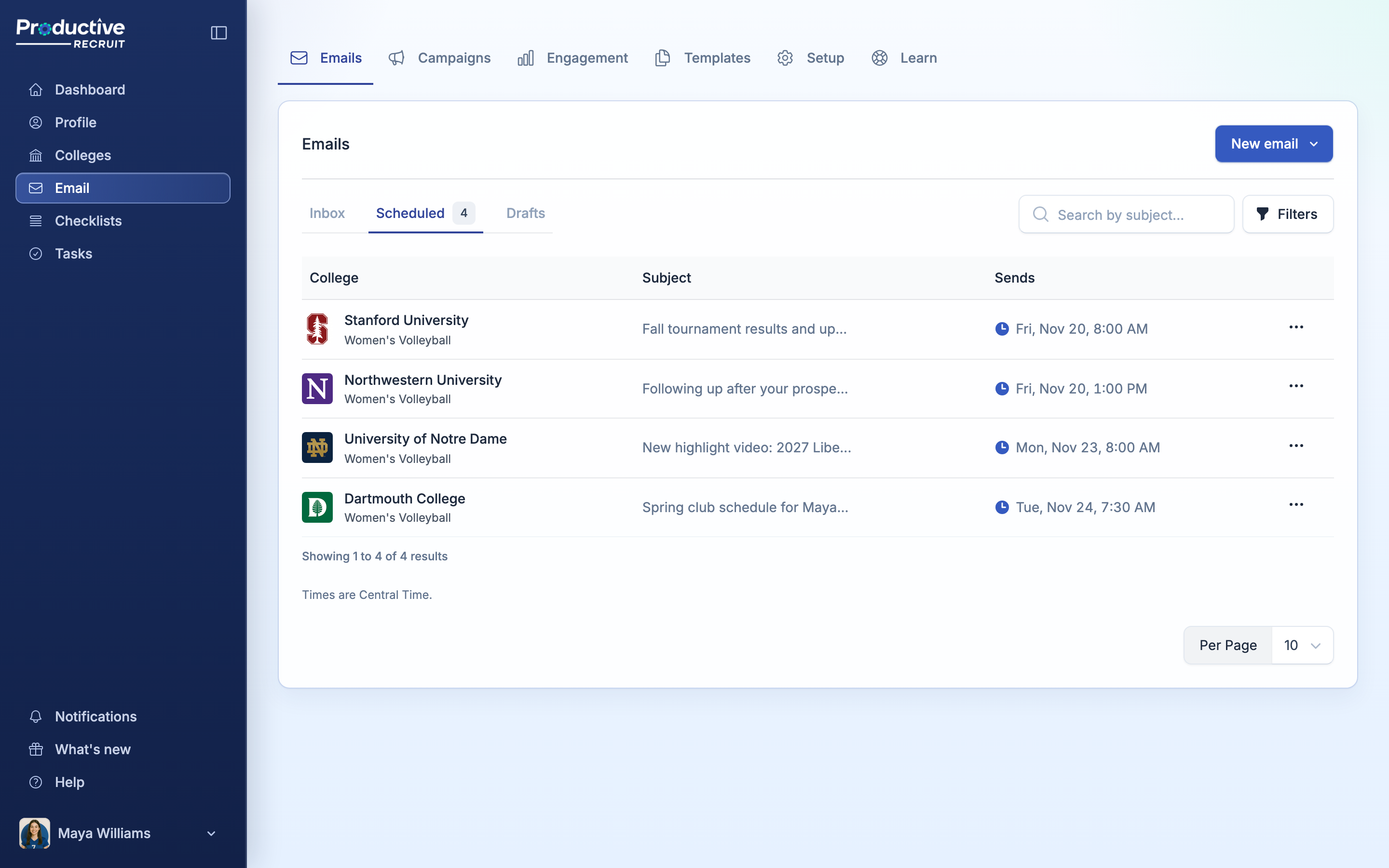
Editing keeps the time you picked. Write it tonight, reread it in the morning, fix a typo, and it still goes out on schedule.
When it sends
Your email goes out within about a minute of the time you picked, from your Gmail or your ProductiveRecruit address, the same as Send. Your profile link is added, opens, clicks, and replies are tracked like any other email, and your target list updates when it actually goes out.
Scheduling a batch for the same time, like ten emails for Monday at 8? They go out a minute or two apart, so Gmail doesn't see a burst from your account.
If something stops an email from going out, like your Gmail getting disconnected, it goes back to your Drafts with a red Didn't send badge that tells you why. Nothing disappears without you knowing.
For clubs, high schools, and recruiting services
Staff can schedule the emails they send about their athletes too. Write pitches for a few athletes on Sunday night and have them all land Monday morning, from your inbox.
Good to know
- Scheduling is for single emails for now. Scheduling campaigns and replies is on the way.
- A scheduled email counts toward your daily limit of 150 on the day it's set to send.
- Scheduled emails live in ProductiveRecruit, not in Gmail's Scheduled folder.
Try it
Open a new email, write it, and click Schedule next to Send. The full walkthrough is in Sending a single email.
New to ProductiveRecruit? Start your free trial and email your first coaches today.
Thanks for the idea. Keep them coming. Just reply to any of our emails.
Colin


Ready to start your recruiting journey?
Join 25,000+ athletes using ProductiveRecruit to connect with college coaches.