

We Rebuilt Website Embeds: Rosters, Commitments, and Your Brand Colors
We rebuilt website embeds: team rosters, a searchable athlete directory, and your commitments, in your brand colors, with layouts to match your site. Plus one Website page for your logo, colors, and links.

Colin McAtee
Founder

Your website is the first place a college coach or a new family looks. For a lot of programs, the recruiting page is a list of names someone updates once a season, if that.
We rebuilt our website embeds so your site can show your athletes the way your team pages and brochures do: in your colors, kept current on its own, and easy for a coach to scan on a phone.
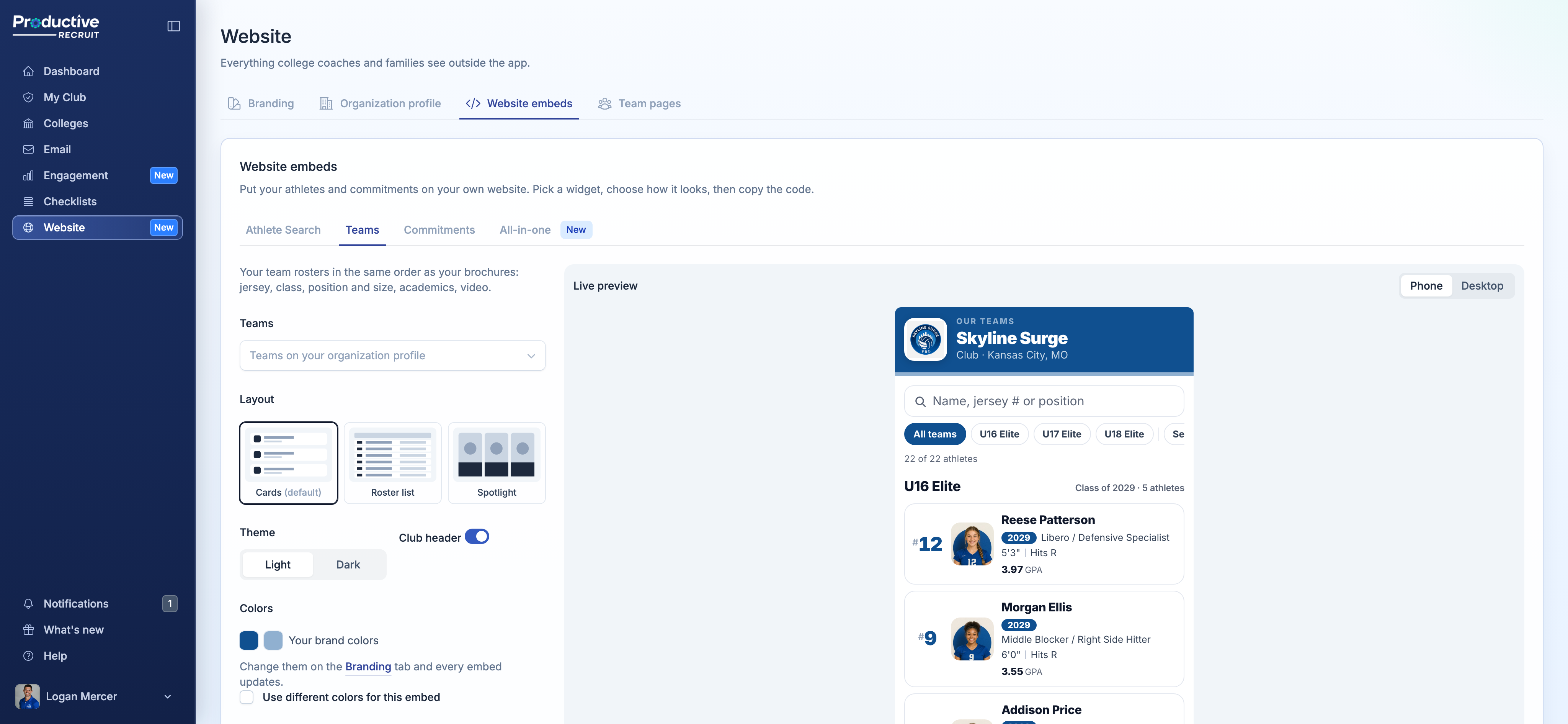
Four widgets, one snippet each
- Teams. Your team rosters, each under its own heading, in the same Cards, Roster list, or Spotlight layouts as your team brochures.
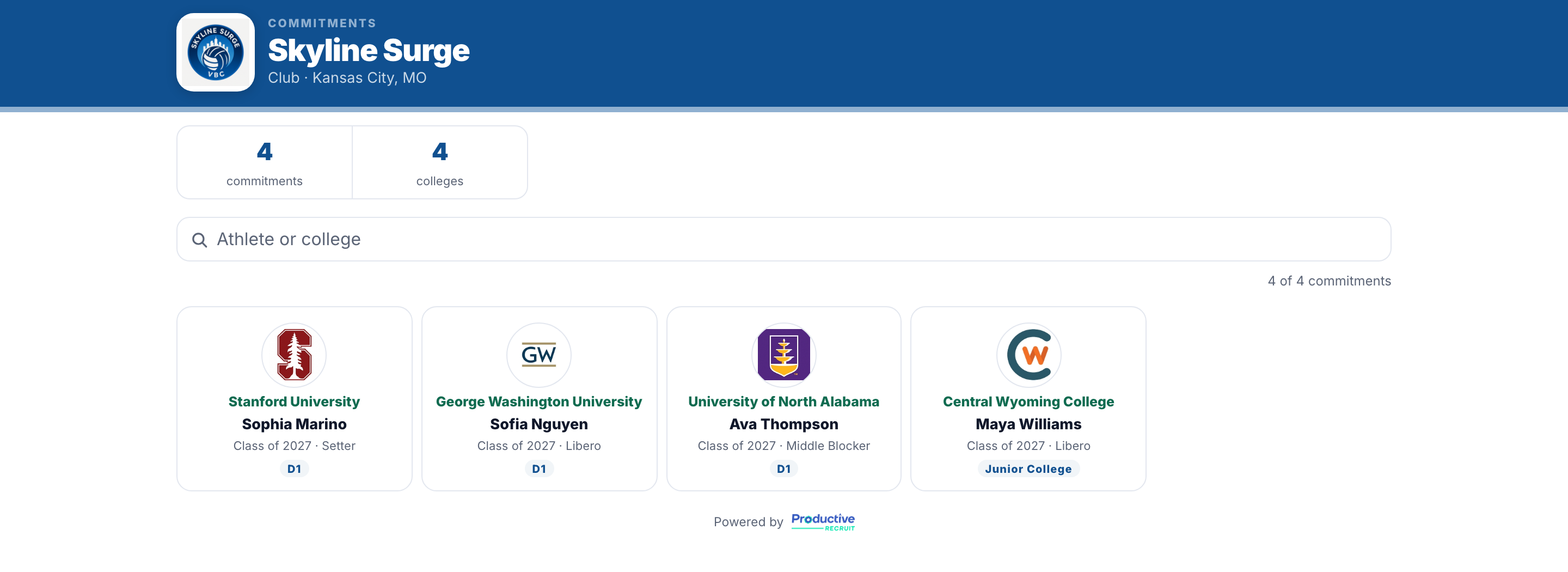
- Commitments. Every athlete who has committed, as a logo wall, grouped by class year, or a ticker strip for your homepage.
- Athlete Search. A searchable directory of every active athlete, as a table or cards.
- All-in-one. Recruitable athletes and commitments as two tabs, built for the Recruiting page on your site. No teams? It lists every athlete who hasn't committed.
Pick a widget, choose a layout and a light or dark theme, check the live preview on a phone or desktop, and copy the code. Paste it once and it stays current as your rosters change and your athletes commit.
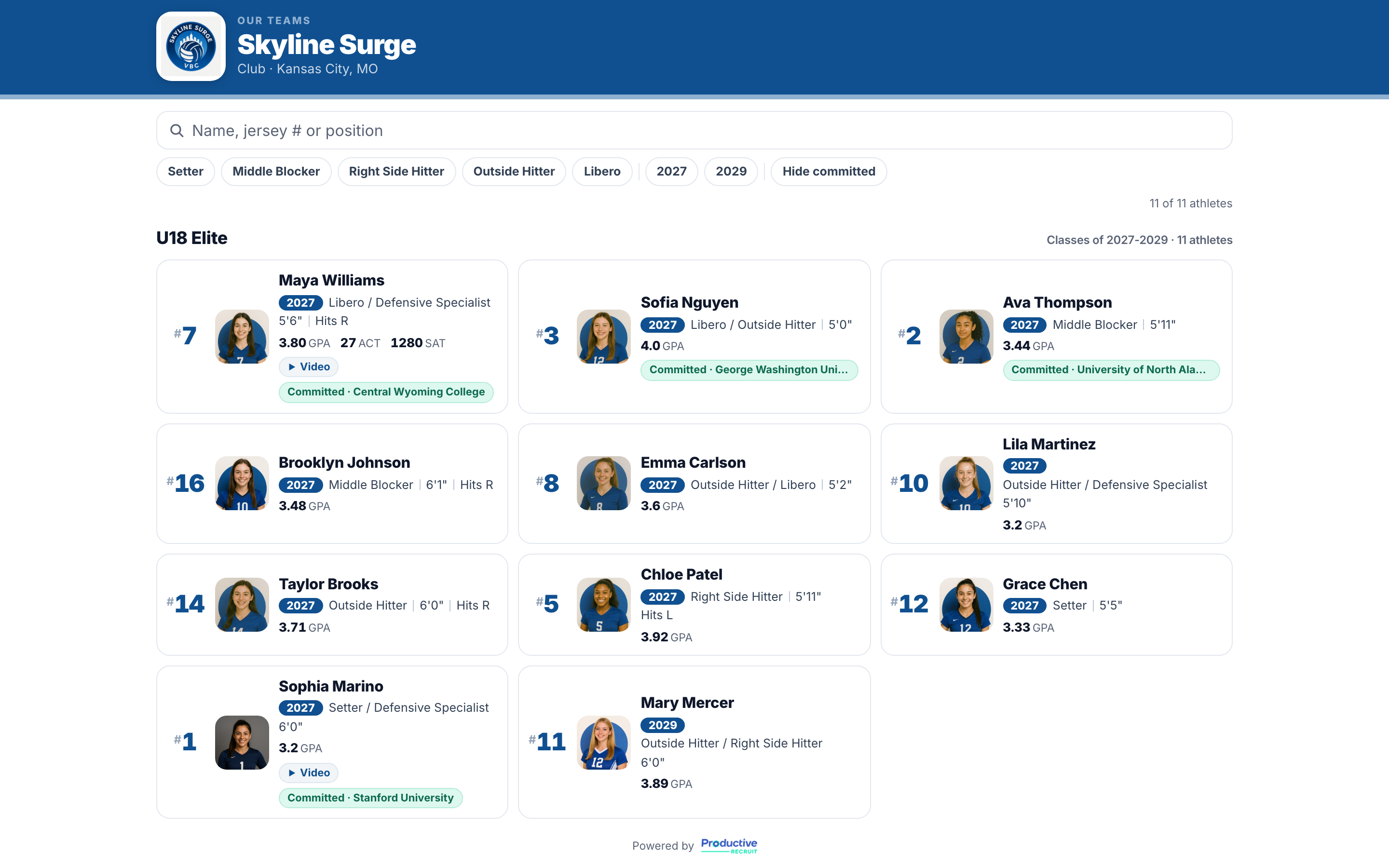
Built for a coach on a phone
The old directory had a Filters popup that didn't work well on a phone. It's gone. Coaches now narrow the list with chips: team, position, class, transfers, and GPA, plus Hide committed to see who's still recruitable. Every athlete links to their full recruiting profile.
Your commitments, front and center
The Commitments widget now shows a college logo for every commitment, with your total commitments and colleges up top. Athletes stay on it after they graduate, so it becomes a running record of your program's results. Each name links to the athlete's profile.
Want it on your homepage? The Ticker strip runs your commitments across one line, with a See all button.
In your brand colors
Every embed uses your logo and brand colors. Set them once and your embeds, organization profile, team pages, and brochures all match. Change them later and the embeds already on your site update too, with no new code.
One page for everything coaches see
All of this lives on a new Website page in the sidebar, with four tabs:
- Branding: your logo, brand colors, and recruiting contact, with a live preview of your organization profile.
- Organization profile: your profile link, and which teams show on it.
- Website embeds: the four widgets above.
- Team pages: every team's public link and its brochures.
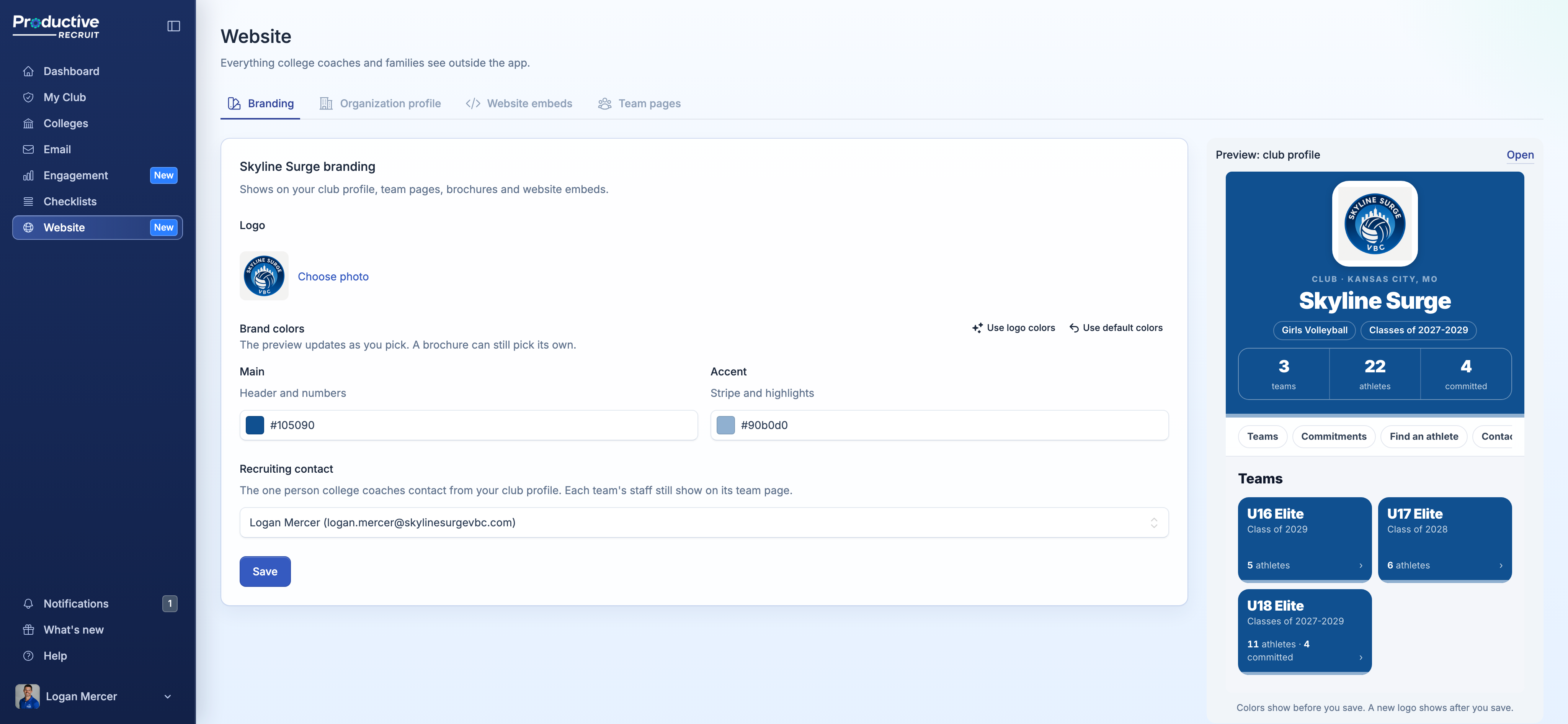
With more than one space, you can set one logo and color pair for the whole organization, and any space that hasn't set its own uses it.
Already have an embed on your site?
It keeps working and picks up the new design on its own. To use a different layout or the new colors, copy a fresh snippet from the Website page and swap it in.
Try it
Already on ProductiveRecruit? Click Website in the sidebar. The full walkthrough is in Website embeds & athlete directory and The Website page.
Switching from another platform's roster widgets? These are a drop-in replacement. Run a club, high school, or recruiting service? Book a demo.
Colin


Ready to start your recruiting journey?
Join 25,000+ athletes using ProductiveRecruit to connect with college coaches.