

We Rebuilt Your Recruiting Profile for a Coach's Phone
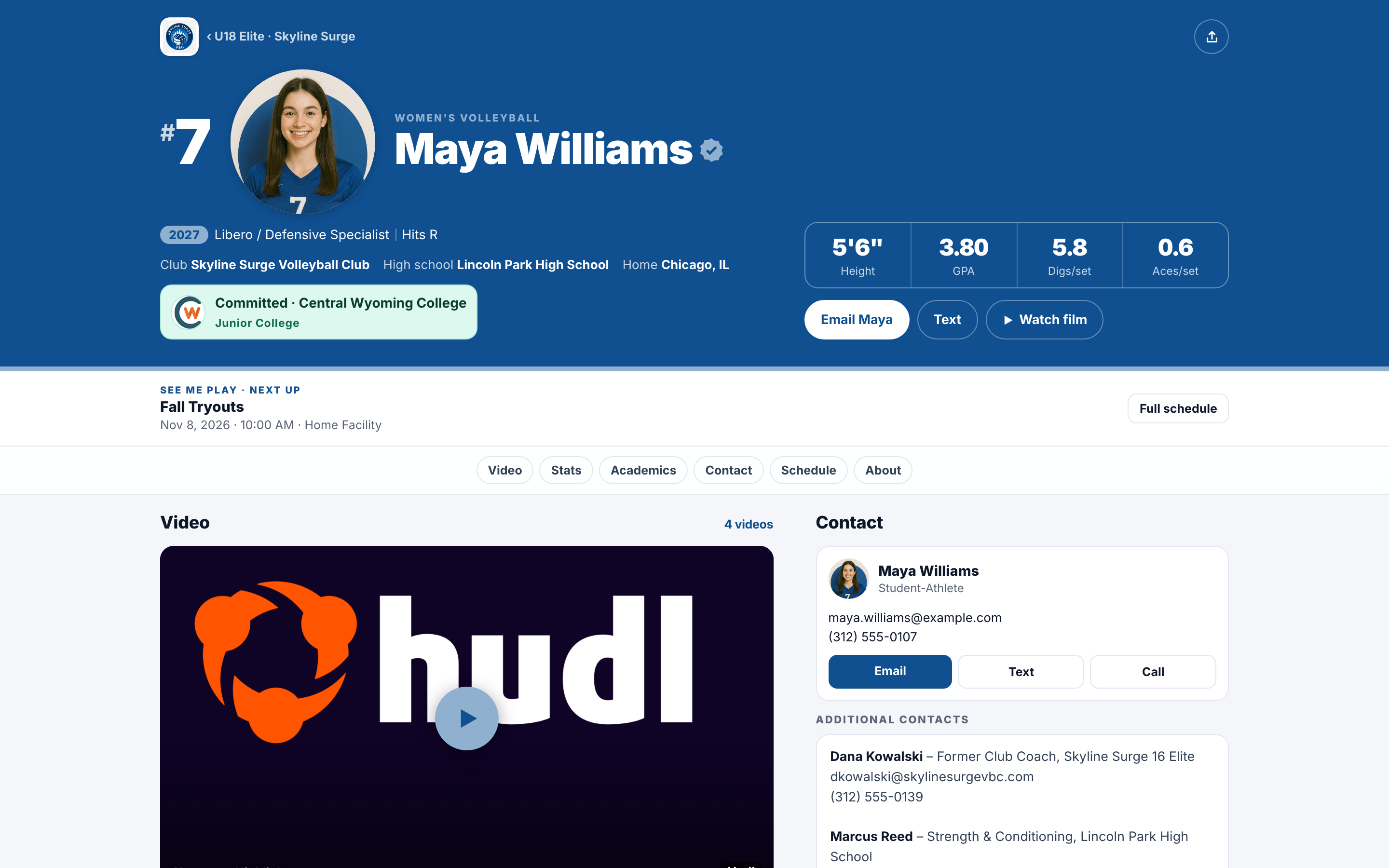
We rebuilt the athlete profile for the way college coaches look at it: on a phone, between games. Video plays right on the page, the numbers coaches check are up top, and athletes on a club, high school, or recruiting service team get that program's colors.

Colin McAtee
Founder

Your profile is the link in every email you send a college coach. Most of the time, that coach opens it on a phone, standing courtside or sitting in a gym between games.
The old profile didn't make that easy. Our logo sat up top next to your program's, videos opened in a pop-up, and a coach had to scroll a long way to find the numbers they care about.
So we rebuilt it. Same link, same QR code, same privacy settings. It just works a lot better for the coach on the other end.
What changed
- The numbers coaches check, up top. Jersey number, class, position, and size, plus four big tiles with your key numbers for your sport, like height, GPA, kills per set, or hitting percentage.
- Video plays right on the page. No more pop-up. A coach taps play and watches, or picks another video from the list below it.
- Where to see you play. If you've added events, your next one sits right under your name, with your full schedule a tap away.
- Jump to any section. Video, Stats, Academics, Contact, Schedule, and About stay pinned at the top while a coach scrolls.
- Faster on a phone. The page is less than half the size it was, so it loads quicker in a gym with bad signal.
- A cleaner print sheet. The one-sheet you print for camps and showcases got the same redesign, with a QR code to your full profile.
Your program's colors
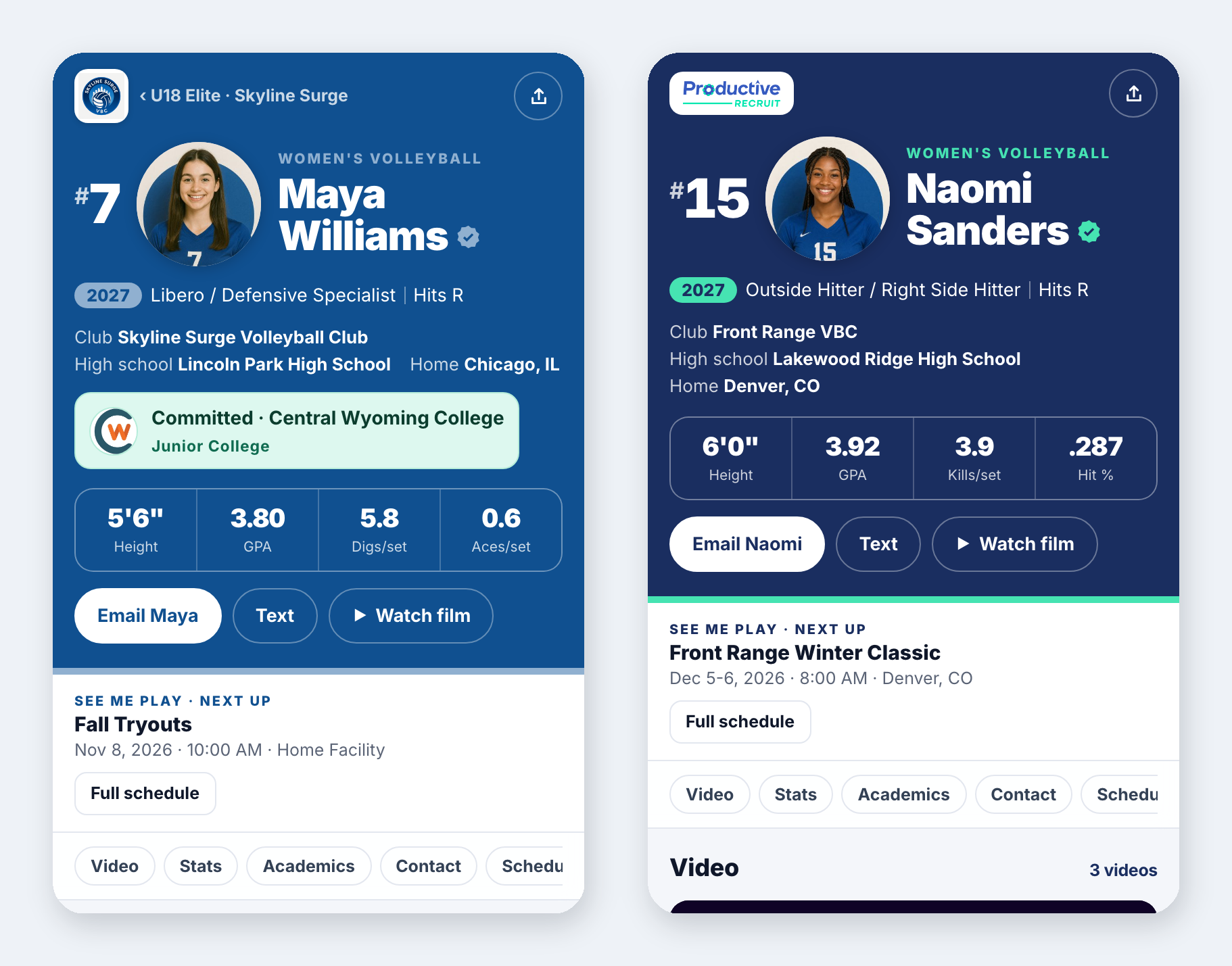
If your club, high school, or recruiting service uses ProductiveRecruit, your profile now matches your team page and team brochures: their logo and colors up top, and a link back to your team. If you're on your own, you get the ProductiveRecruit look.
Links that look good when you send them
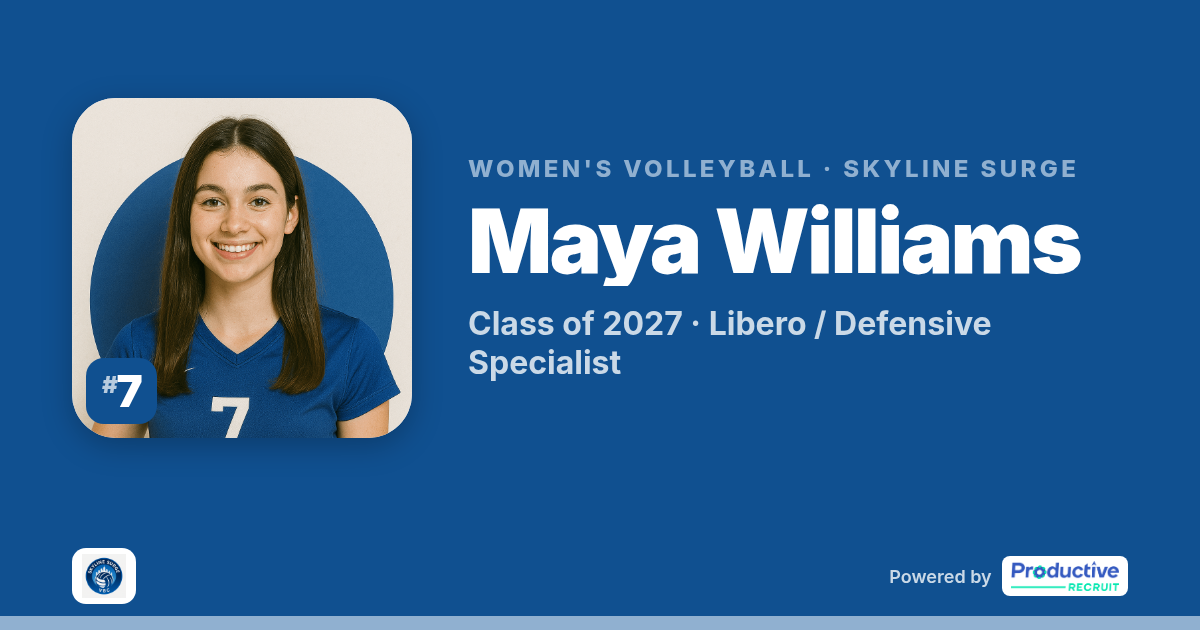
When you text your profile link or post it, the preview now shows your photo, name, class, and position instead of a generic image.
Nothing to do
Your profile updated on its own. Your link, QR code, and privacy settings didn't change, and coaches see the same information they saw before. To see yours, open the Share tab and click your link. The full tour is in Your public profile page.
Run a club, high school, or recruiting service? Book a demo to see your athletes' profiles in your colors.
Colin


Ready to start your recruiting journey?
Join 25,000+ athletes using ProductiveRecruit to connect with college coaches.