

Introducing Roster Needs: Find the Programs Likely to Need Your Position
See which college programs are likely to need your position in your class, forecast from the class years on every roster we track.

Colin McAtee
Founder
Sooner or later every recruit asks the same question: does this school even need someone like me? Coaches recruit to fill spots, and spots open up when players graduate. Until now, finding out meant opening roster after roster and counting class years by hand.
Roster Needs does the counting for you. We read the class years on every program's current roster, count how many players at your position graduate before you arrive, and show you which programs are likely to need your position in your class. It's live today for every athlete on a Pro plan or free trial, in 11 sports.
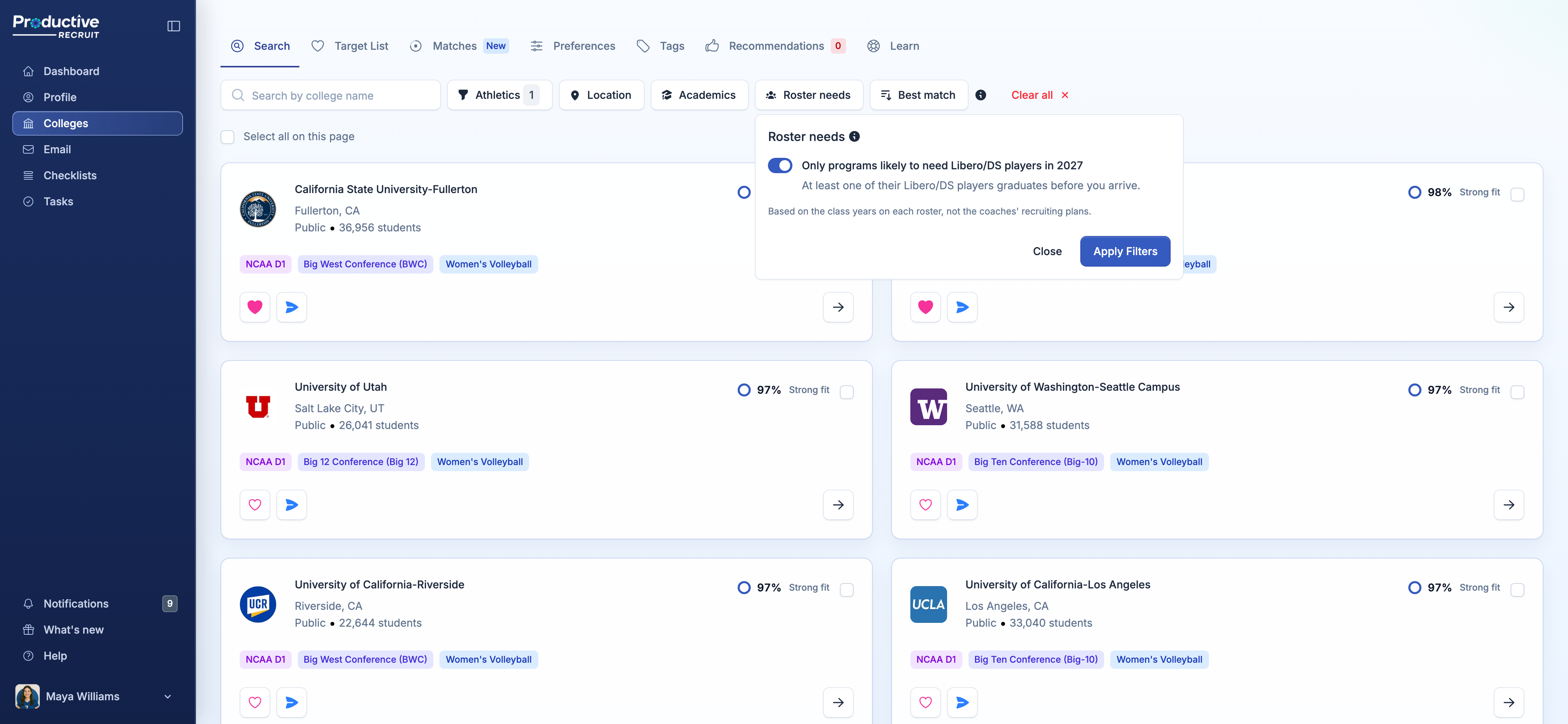
One switch in College Search
Open College Search and click Roster needs, right next to Athletics, Location, and Academics. Your position and grad year come straight from your profile, so the switch already knows what you're looking for: "Only programs likely to need Libero/DS players in 2027." Turn it on, hit Apply Filters, and your results narrow to the programs where at least one player at your position graduates before you get there.
Every other filter still works, so you can stack it with your divisions, states, majors, and the Best match sort.
High, Medium, or Low
Every program in your results gets a chip that says how strong the opening is, compared with what a typical roster loses:
- High roster opportunity (green): more players at your position are leaving than usual
- Medium roster opportunity (amber): about as many as usual
- Low roster opportunity (grey): someone's leaving, just fewer than usual
Hover any chip for the numbers behind it, like "Libero/DS, class of 2027: 3 of 6 leave · they played 73% of last season's sets." That last part matters. One player leaving can be most of the playing time at a position, or almost none of it, and now you can tell which.
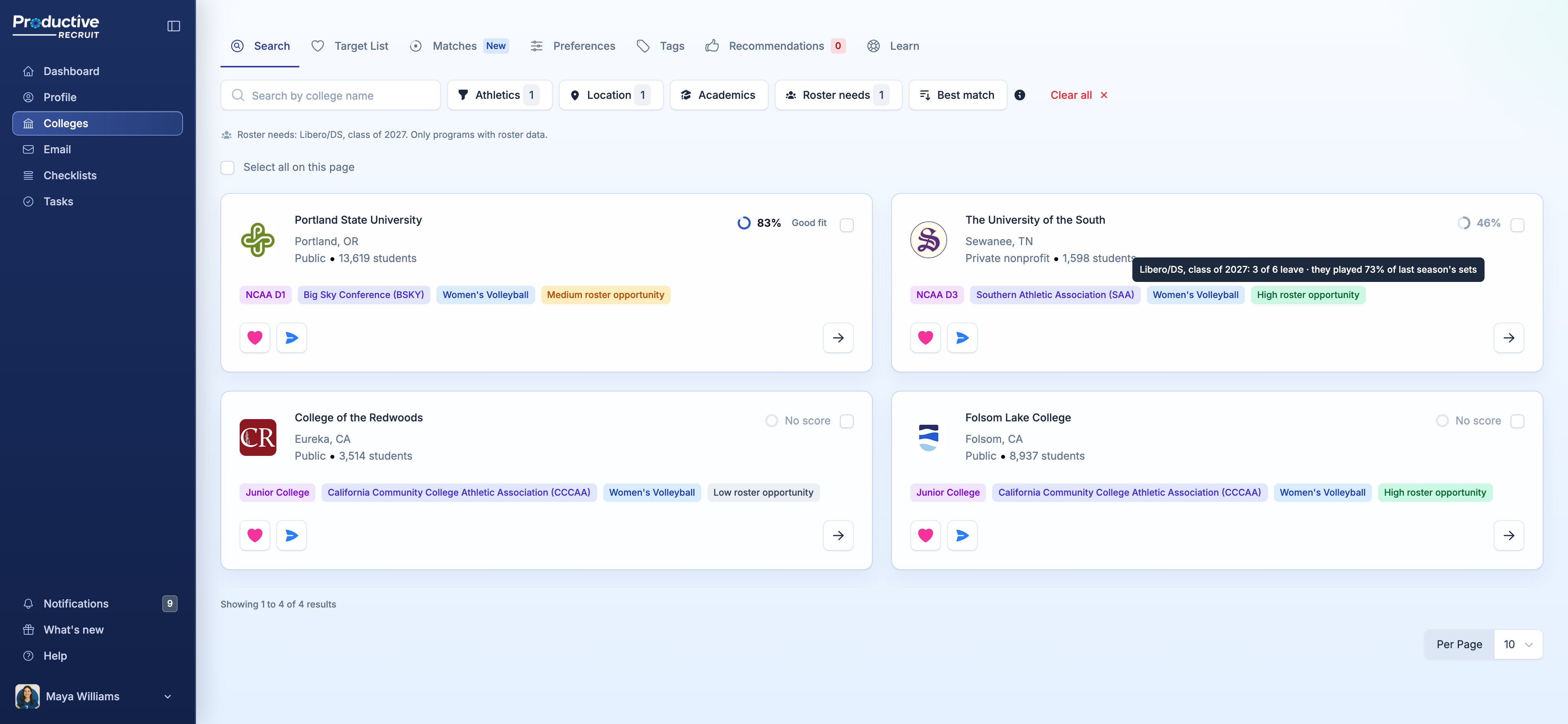
The chips show up even with the filter off, right next to your match %, so you can spot the programs worth a closer look while you browse.
Every program, not just the ones that posted
Other roster needs tools only show you the programs whose coaches went in and posted what they're looking for, and plenty of coaches never do. Roster Needs works from the roster itself, so you get an outlook for every program we have a current roster for, across NCAA D1, D2, and D3, NAIA, and junior colleges.
The full picture on every program page
Open any program in a covered sport and the Info tab now has an Athletics view with:
- Season Record: the latest record with home, away, and conference splits, plus past seasons at a glance
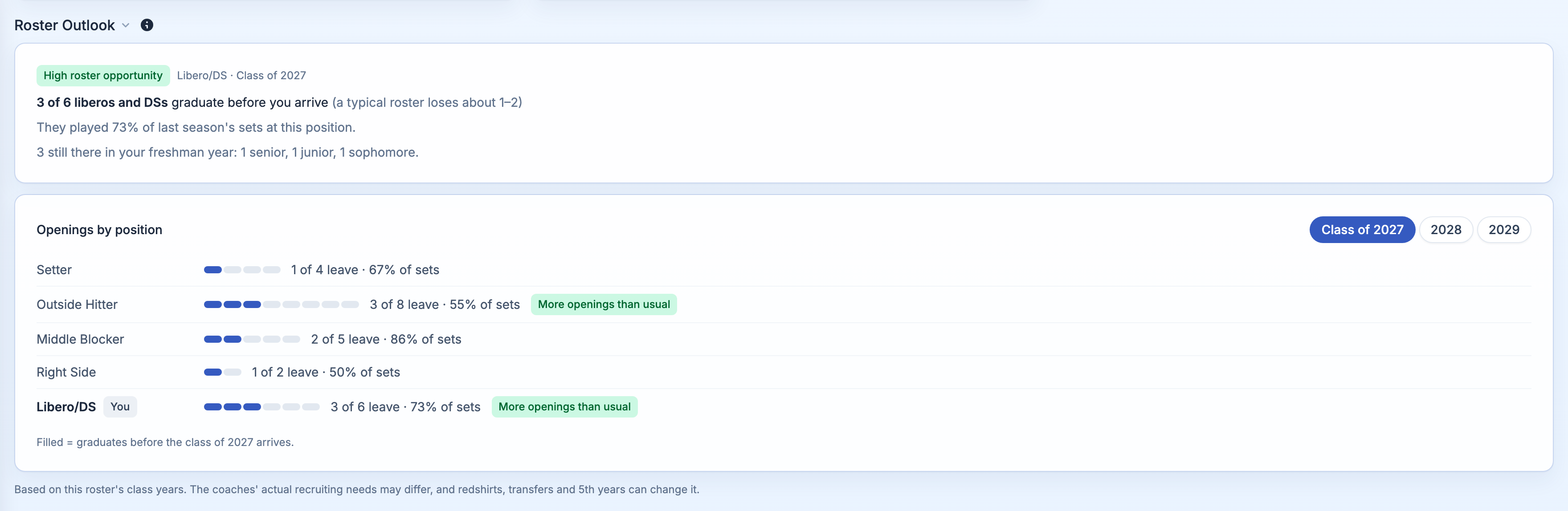
- Roster Outlook: your outlook for your position and class, and Openings by position for the next three classes
- Roster: the current roster with each player's position, class, hometown, and last season's stats
What it is (and isn't)
Roster Needs is a forecast built from class years, not from the coaches' recruiting plans. It doesn't know about redshirts, transfers, early departures, or recruits a program has already committed. So use it to decide where to look first, not to cross a school off your list. If a program you love shows Low, email the coach anyway.
Which sports are covered
Men's and women's soccer, women's and men's volleyball, men's and women's basketball, men's and women's lacrosse, football, baseball, and softball. More sports are on the way, so if yours isn't on the list, let us know.
For clubs, high schools, and recruiting services
Staff can use Roster needs for any athlete. Pick one sport under Athletics, then choose a position and class. Program pages show Openings by position for every position, so you can talk through a school's roster with an athlete and their family with real numbers in front of you.
Try it
Roster Needs is part of Recruit Pro and included in your free trial. Head to College Search, click Roster needs, and flip the switch. If your profile is missing a position or grad year, it'll tell you and take you right there.
The full details on how outlooks work are in Roster needs.
As always, hit reply if an outlook looks off or you have an idea for what we should build next.
Colin


Ready to start your recruiting journey?
Join 25,000+ athletes using ProductiveRecruit to connect with college coaches.