

Lists are now Tags: Apply up to 3 tags to any college
Your Target List just got more flexible. Apply up to 3 tags to any college, filter by multiple tags at once, and send smarter email campaigns — all in one place.

Colin McAtee
Founder
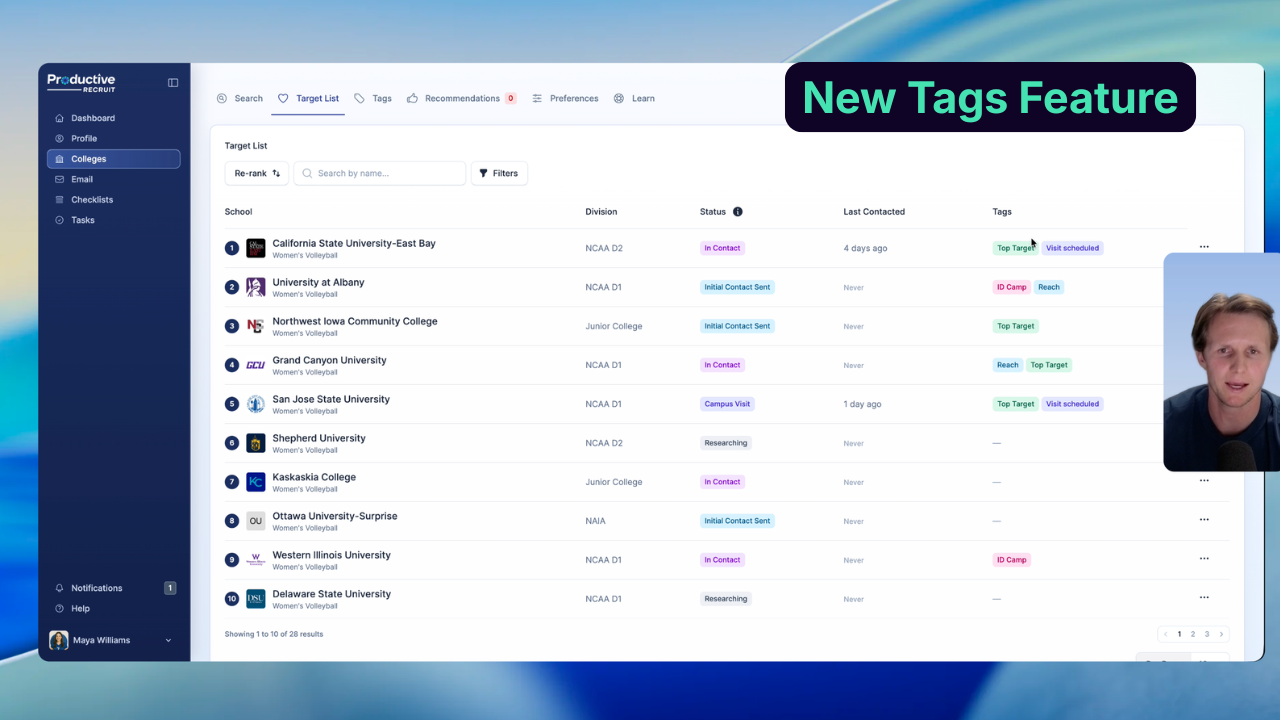
For a while, organizing your Target List has meant making a choice. Is Michigan a "Reach," a "Visited," or a "Top 10"? It's probably all three. But until now, you had to pick one.
That's changed. Lists are now Tags — and a single college can carry up to 3 at the same time.
The short version
- Your old Custom Lists are now Tags. Same names, same colors — nothing was lost.
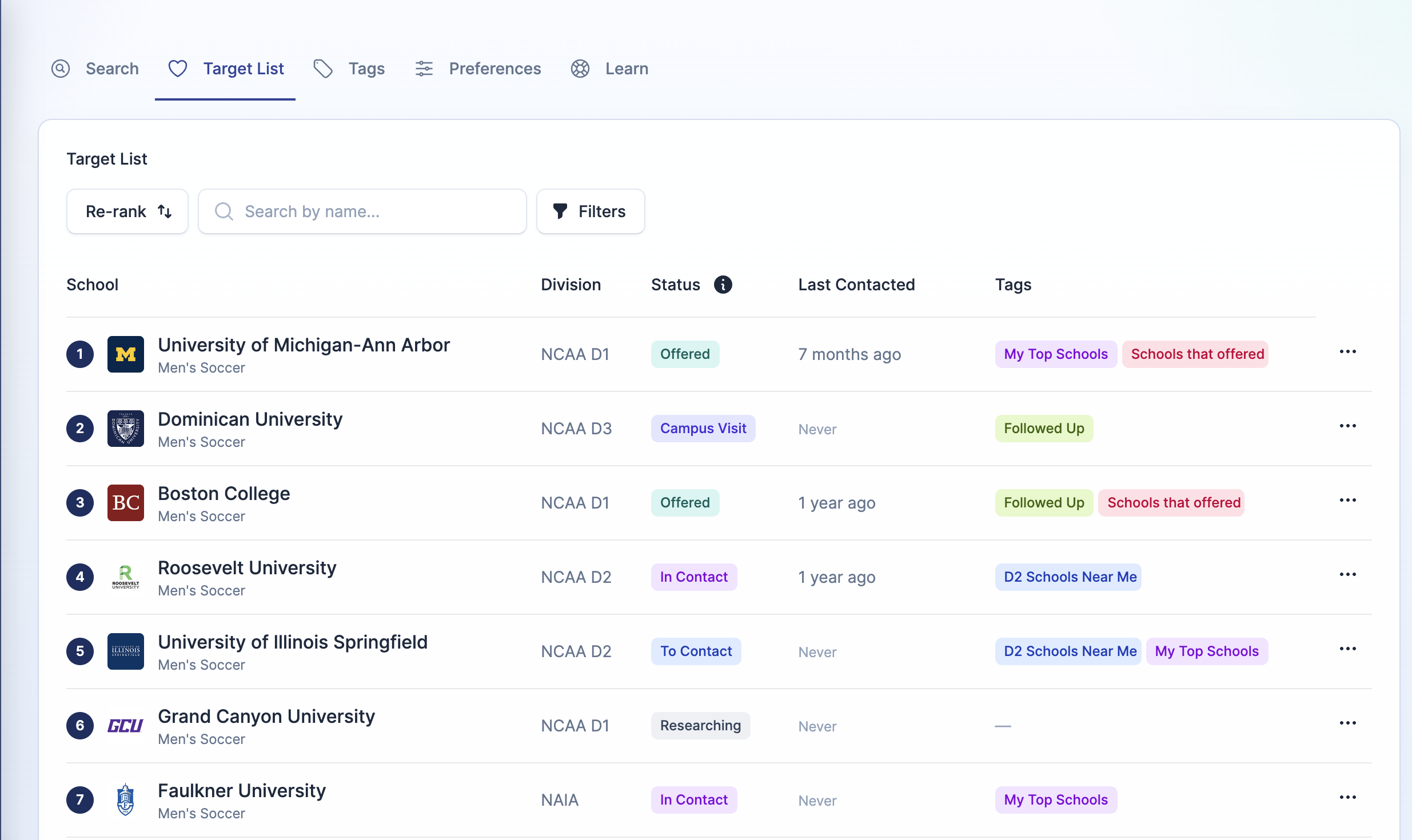
- A college can carry up to 3 tags at once (e.g., "Reach" + "Visited" + "Top 10")
- Color-coded tag badges show on every Target List row at a glance
- Filter your Target List by multiple tags at once
- Send Email Campaigns to any combination of tagged schools in one send
- Up to 10 tags total per athlete
Why we changed it
The single-list system forced a tradeoff that didn't reflect how recruiting actually works. Marking a school as "Visited" meant losing its "Reach" classification. Tagging it as a "Top 10" meant losing track of whether you'd contacted them yet.
Real recruiting is messier than that. A school you visited last fall might still be a reach academically, and it might still be in your top 5. Those are three independent facts about the same school — and your Target List should be able to show all of them.
What's new
Multi-tag any college (up to 3 per school)
Click the edit tags option on any Target List row, or hit the heart icon anywhere a college appears to add or remove tags. The full set of badges shows on the row itself, so you can read your Target List without opening anything.
There are 18 color choices, so your tags stay visually distinct.
Filter by multiple tags
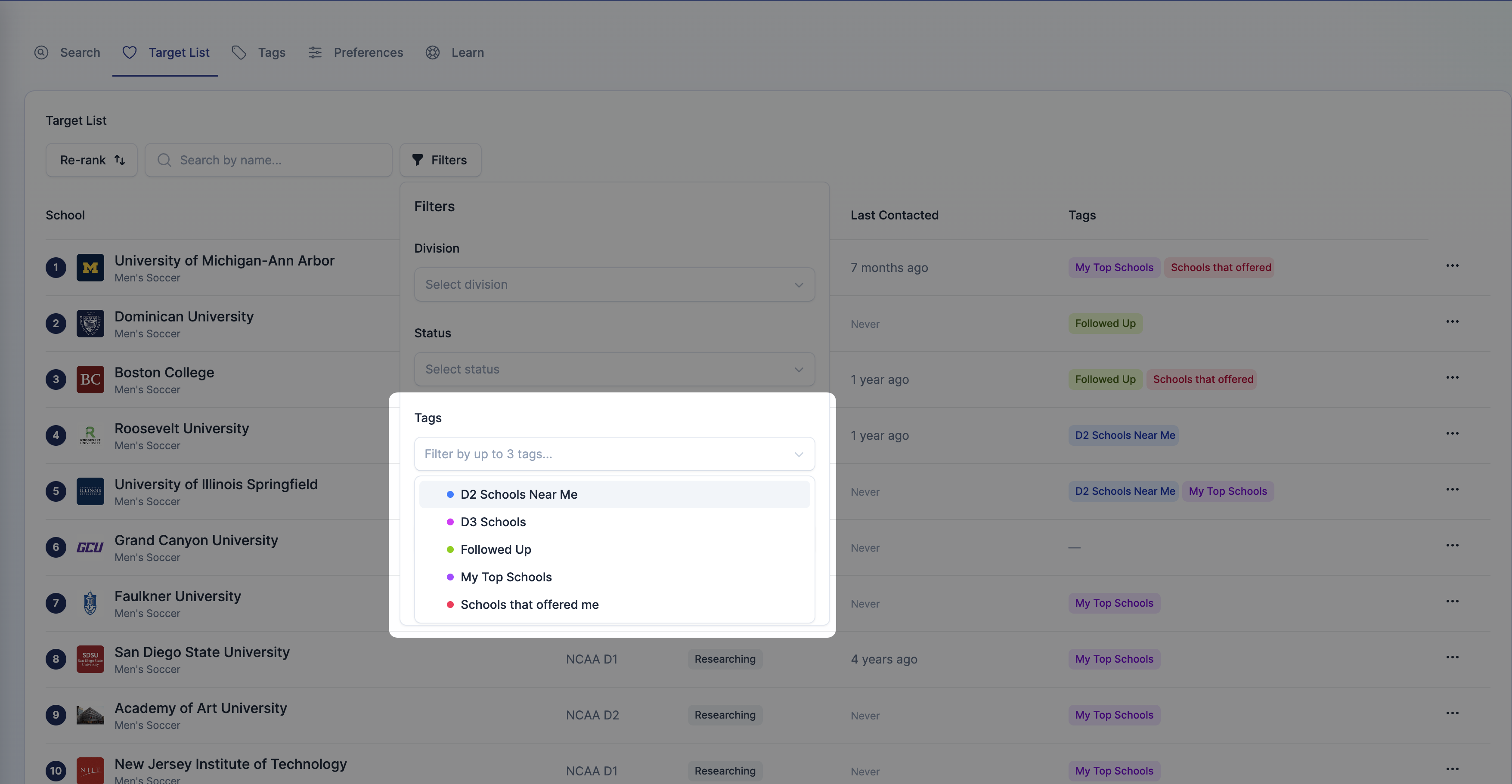
The Target List filter now accepts multiple tags. Select "Reach" and "Top Choice" together, and you'll see every school carrying either one (OR logic — we wanted finding schools to be easier, not harder).
The same multi-tag filter is now in the Email Campaign Creator. You can send one campaign to "everyone tagged Reach OR Top Choice" instead of running two separate sends.
Redesigned Manage Tags page
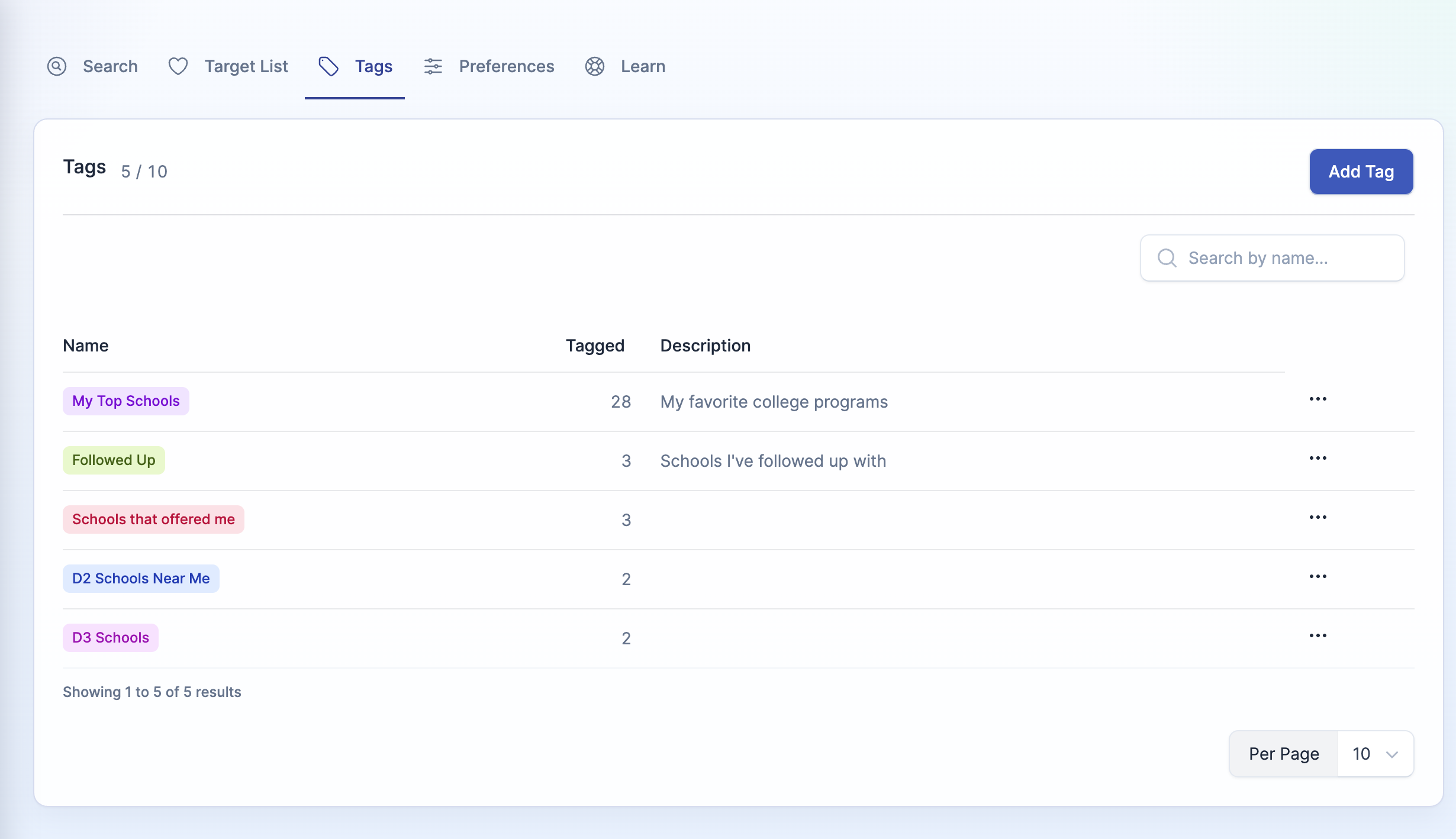
The old Manage Lists page is now Manage Tags, with a new icon in the nav. A few small improvements while we were in there:
- New Tagged column showing how many schools carry each tag
- Tag names capped at 24 characters
- Case-insensitive uniqueness — no more "reach" and "Reach" sitting side by side
- Description field is now optional
A few things worth knowing
Your old Lists came over automatically. Every list you had is now a tag with the same name and color. You don't need to migrate anything.
3 tags per college, 10 tags total per athlete. The caps keep your Target List readable. When every school has 8 tags, none of them mean anything. If you hit the 10-tag limit, you'll see a callout on the Manage Tags page.
Tags are private. Coaches and college programs never see how you've tagged them — same as Lists always were. These are organization tools for you, not signals to anyone else.
Prefer to watch?
Here's a 2-minute walkthrough on YouTube: Watch now →
Try it
— Colin Founder, ProductiveRecruit

Ready to start your recruiting journey?
Join 25,000+ athletes using ProductiveRecruit to connect with college coaches.