

Introducing the Engagement Score: See Which College Coaches Are Actually Paying Attention
Every action a coach takes on your outreach now rolls into one engagement score per college program. Here's how the score works, where it shows up in ProductiveRecruit, and how to use it to decide which schools to follow up with first.

Colin McAtee
Founder
The hardest part of emailing college coaches is not writing the emails. It is the silence afterward. You send forty messages, a few get opened, someone clicks something, and you are left guessing which schools are worth your next hour.
Starting today, ProductiveRecruit answers that question for every school you email. Each college program now has an engagement score, built from what its coaches actually did with your outreach, and your schools are ranked by it.
One score, built from what coaches actually do
Every action a coach takes on your outreach was already tracked in ProductiveRecruit: opens, link clicks, profile views, video views, and replies. Now they roll up into a single score for each program.
- Replied to your email: 15 points
- Clicked a link: 5
- Viewed your profile: 5
- Watched one of your videos: 5
- Opened your email: 1
A reply is worth the most by a wide margin because it is the only action where a coach chose to spend time on you. An open counts a little, because an open on its own is a weak signal. And the score only counts real engagement: automatic opens from mail apps and clicks from email security scanners are filtered out before they ever reach it.
The ⓘ next to any engagement column opens a legend that spells this out inside the app, and the full breakdown is in Engagement score & most engaged programs.
Where you will see it
The Engagement page
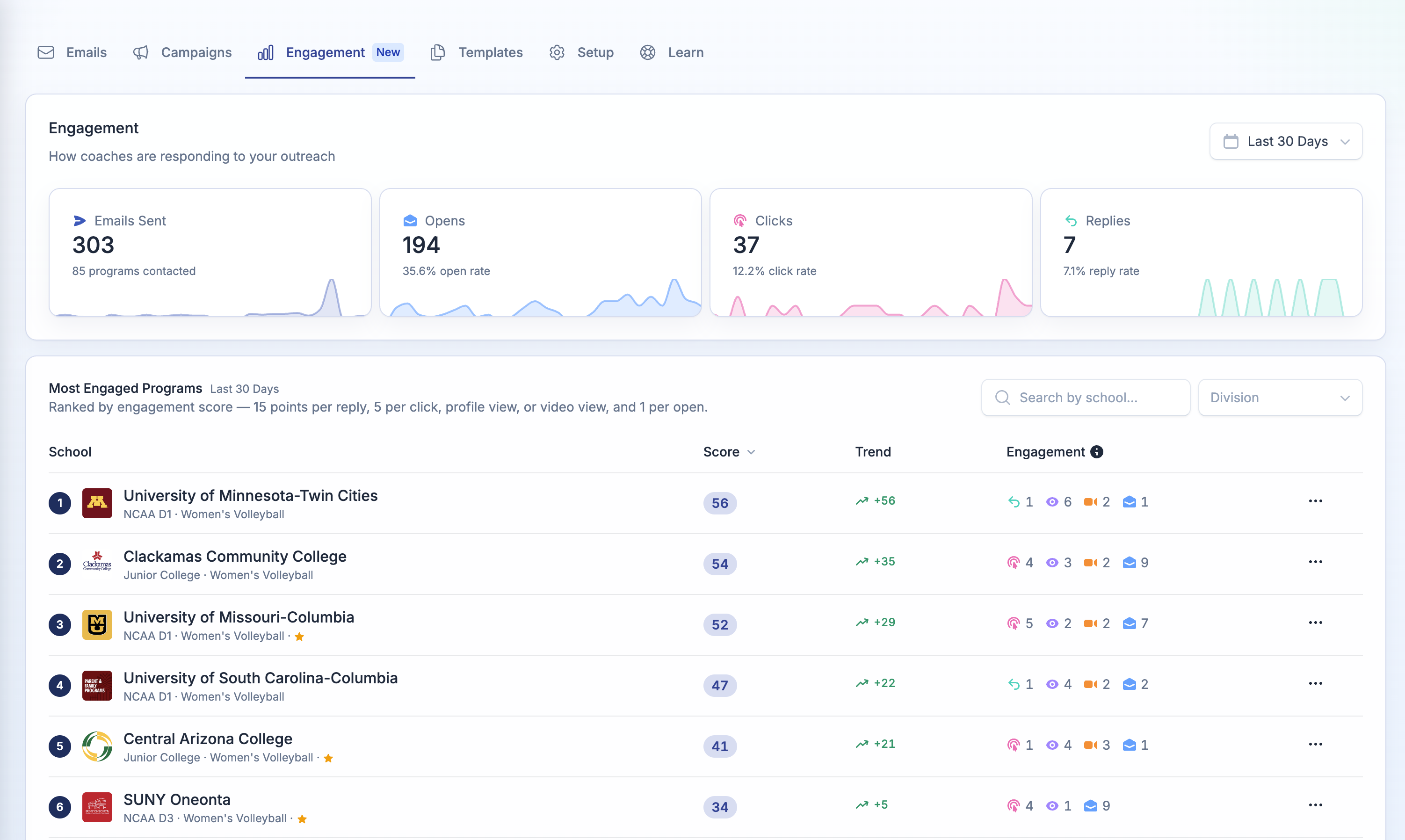
Emails → Engagement is the full picture. Your open, click, and reply rates for any date range sit at the top. Below them, every program you have emailed is ranked by score, with the exact signals behind each number, a trend arrow against the previous period, and a search box that jumps straight to any school you are wondering about. Narrow by division when you want to compare like against like.
Each row has a menu: email the program, open its activity, or add it to your target list.
Your dashboard
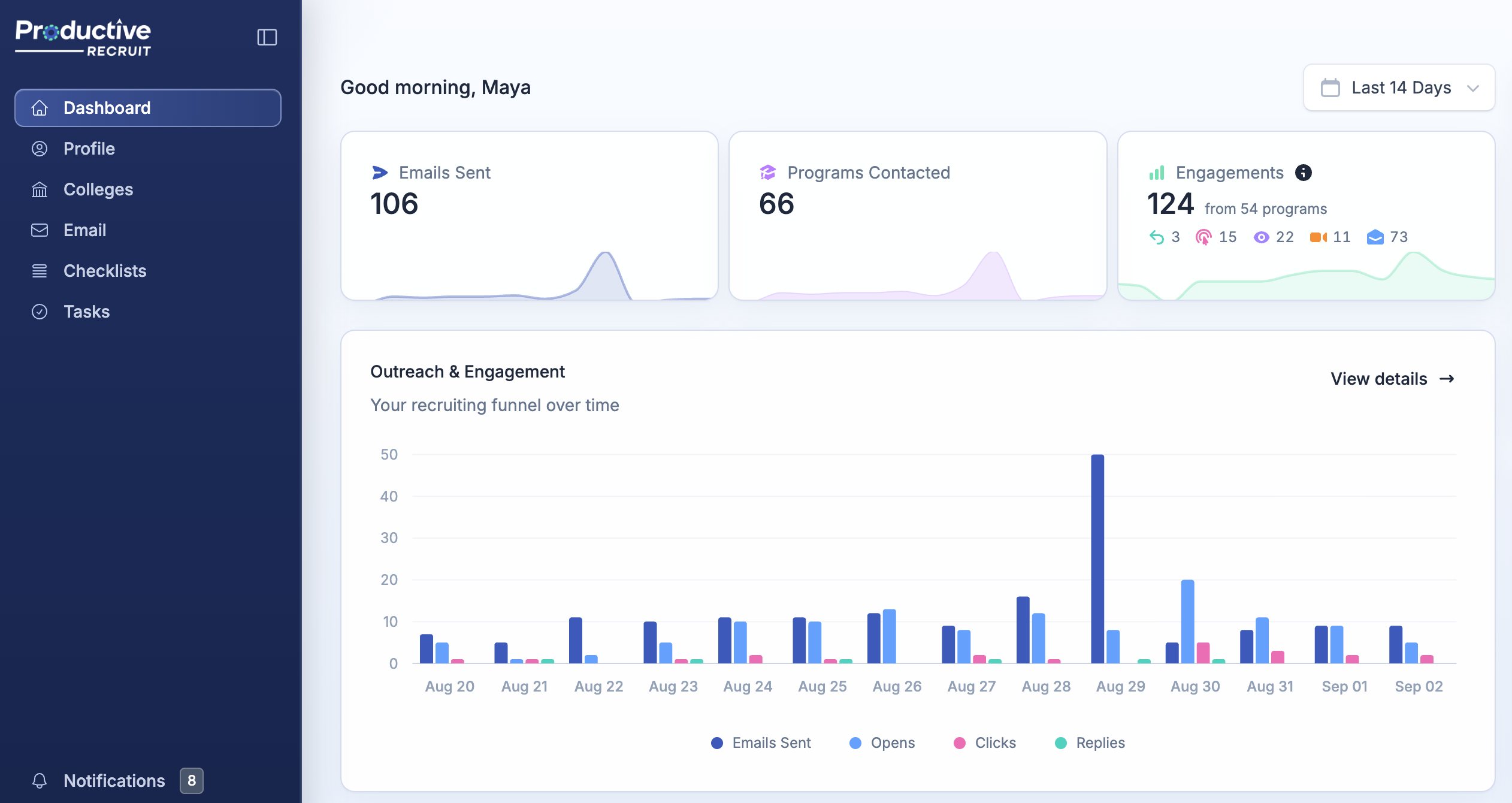
Your dashboard now leads with an Engagements tile: every coach action in the selected range, totaled "from N programs", with a small icon for each kind of signal. You can tell at a glance whether that number is mostly opens or mostly replies.
Your target list
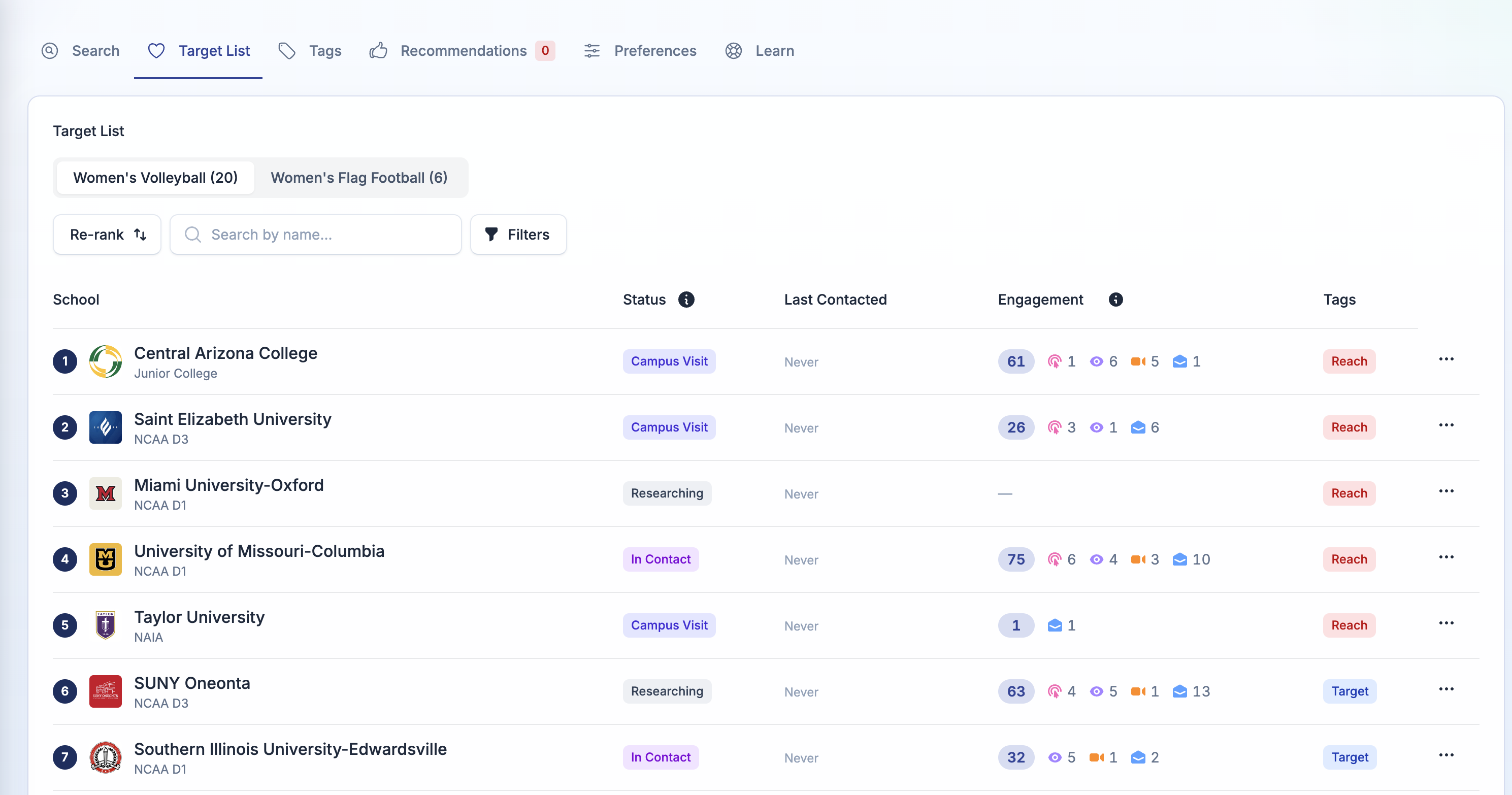
The list you actually manage shows the score too. Each school carries its score and signals right in the table, and one click on the Engagement column header sorts your most engaged schools to the top. Your hand-ranked priority order is untouched. Sorting is a view, not a re-rank.
If you are new, the column appears the day the first coach engages with your outreach. Until then there is nothing to score.
Four ways to use it this week
- Follow up with your highest scores first. A coach who replied or keeps clicking through is telling you something.
- Watch the trend after a campaign. Programs suddenly heating up are the ones your new template or video landed with.
- Add engaged programs to your target list. If a school you emailed on a whim keeps visiting your profile, it belongs on the list. The row menu adds it in one click.
- Widen the date range if the table looks thin. Engagement is sparse. All time usually surfaces more.
One switch worth flipping
Replies are the strongest signal in the score, but they only count if reply tracking is on. If you have not turned it on yet, it takes about a minute in Email Setup, and it is the difference between a score built on curiosity and one built on conversations. Here is how.
Log in, open Emails → Engagement, and see who has been paying attention all along.


Ready to start your recruiting journey?
Join 25,000+ athletes using ProductiveRecruit to connect with college coaches.