

We Rebuilt Team Brochures From the Ground Up
We rebuilt team brochures from the ground up: three layouts, your club's colors and logo up front, a cover page, and a lot more you can customize for each showcase. Here's what changed.

Colin McAtee
Founder
If you've printed a team brochure from ProductiveRecruit before, you know the old version: two layouts, full or compact, with our logo right up top next to yours. It did the job, but it wasn't much to look at, and you couldn't change much about it.
So we rebuilt it around the person actually holding it. A college coach at a showcase has a few minutes per court or field and a lot of teams to see. Whatever your club hands them gets a quick scan, and then it either goes in the folder or it doesn't.
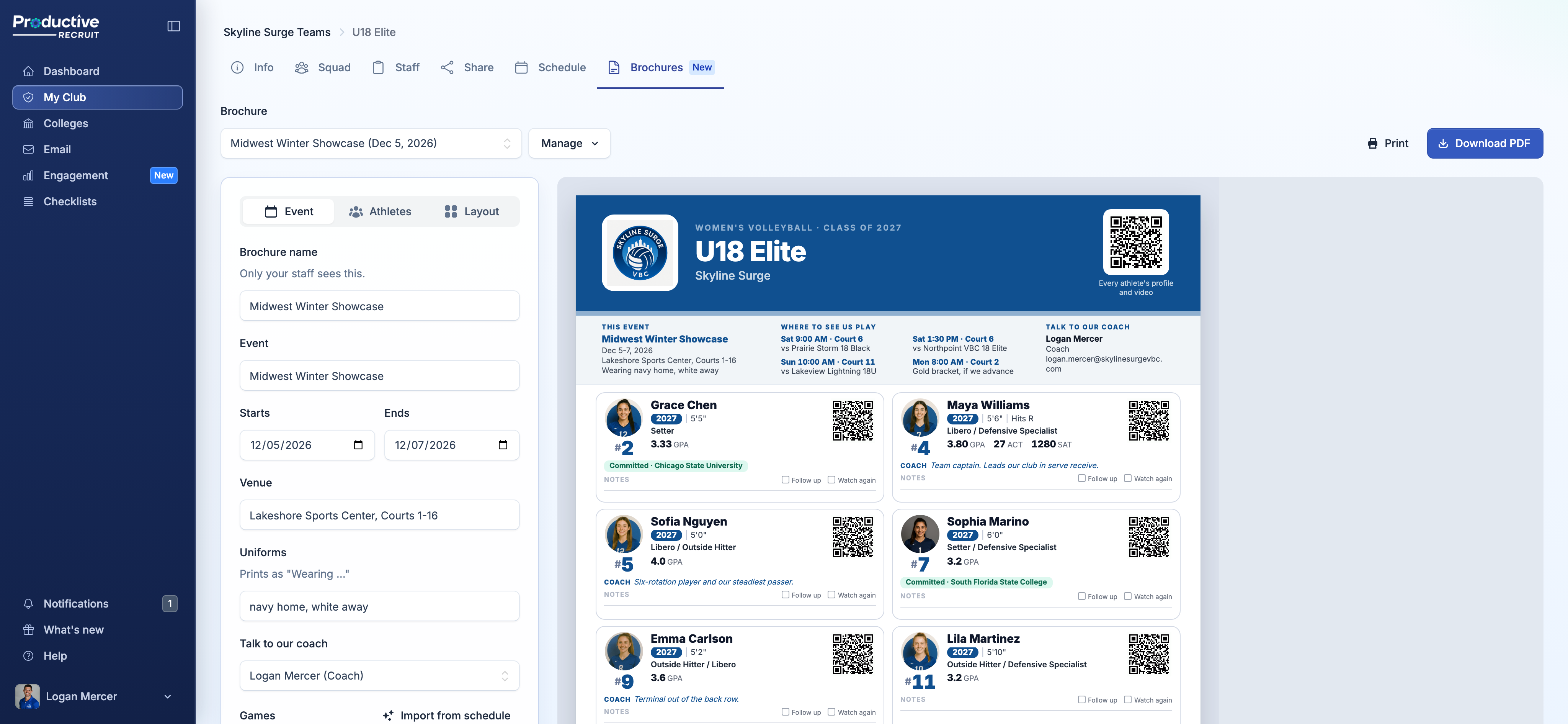
Team brochures now have their own Brochures tab on every team, where you build one for each event, with your logo, your game times, and a QR code for every athlete, then print it or download a PDF.
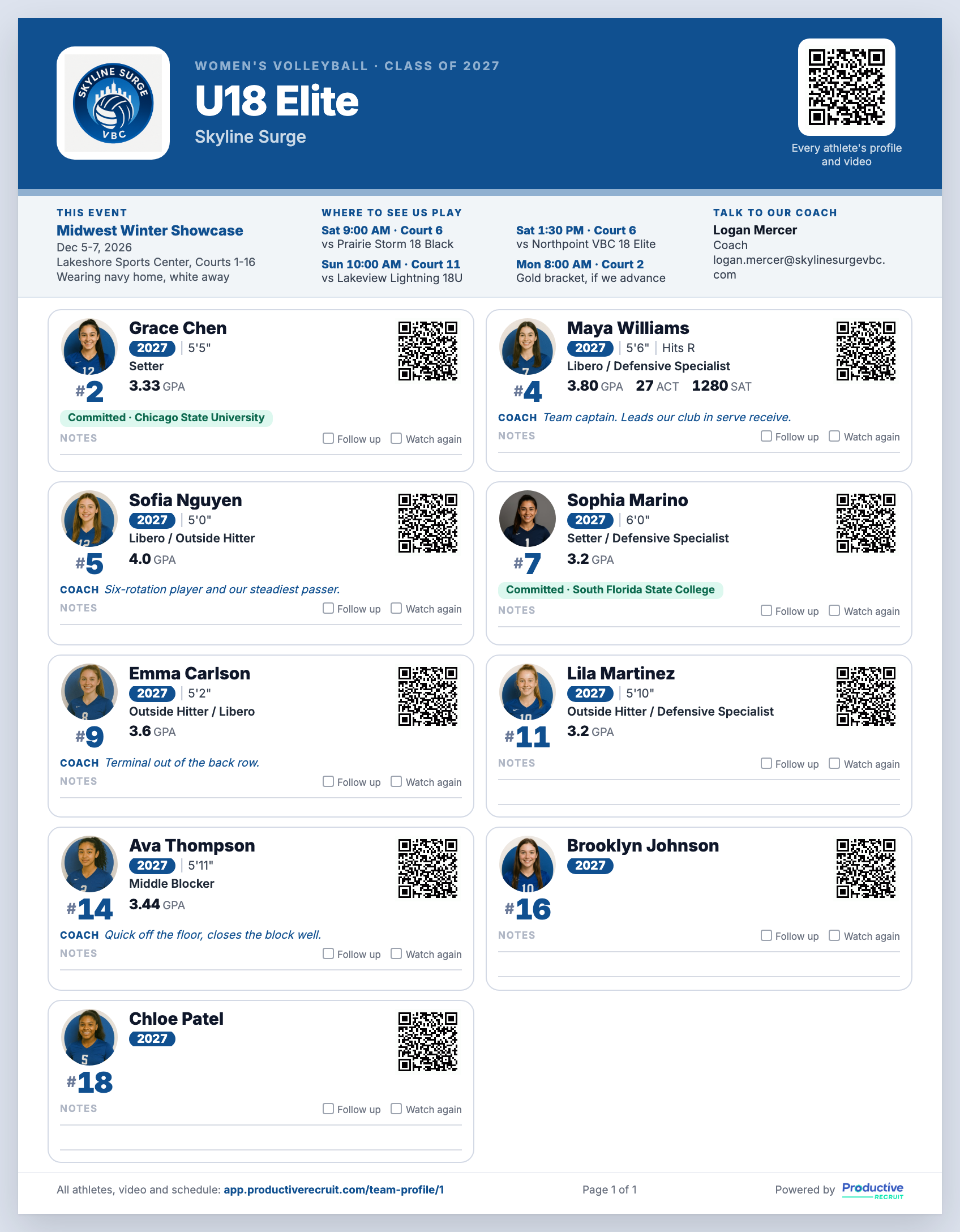
Want to see one first? Download a sample brochure.
What changed
- It looks way better. Every layout was redesigned from scratch to be clean, easy to scan, and something you're proud to hand a coach.
- Three layouts instead of two. Cards, Roster, or Spotlight, in place of full or compact.
- Your colors. Pick them from your logo in one click, choose a preset, or enter your exact brand colors.
- Your logo, front and center. Your club leads the sheet. ProductiveRecruit moves to a small "Powered by" line at the bottom.
- A cover page. Add one with your game schedule, staff contact, a short note, and a roster summary.
- A lot more you can customize. Build one for each event with the dates, venue, uniforms, and game times. Choose who's making the trip, set event jersey numbers, add a coach note on any athlete, and pick what shows. Each one is saved, so next event you duplicate it and change what's different.
Built the way coaches read it
Coaches look for the same things in the same order: jersey number, grad year, position and size, academics, then a way to see more. Each athlete on the brochure follows that order, with a QR code that opens their full profile and highlight video.
It also shows the details coaches ask about for each sport, like a soccer player's preferred foot, a volleyball player's hitting hand, or bats and throws in baseball and softball.
Paste the schedule, get your games
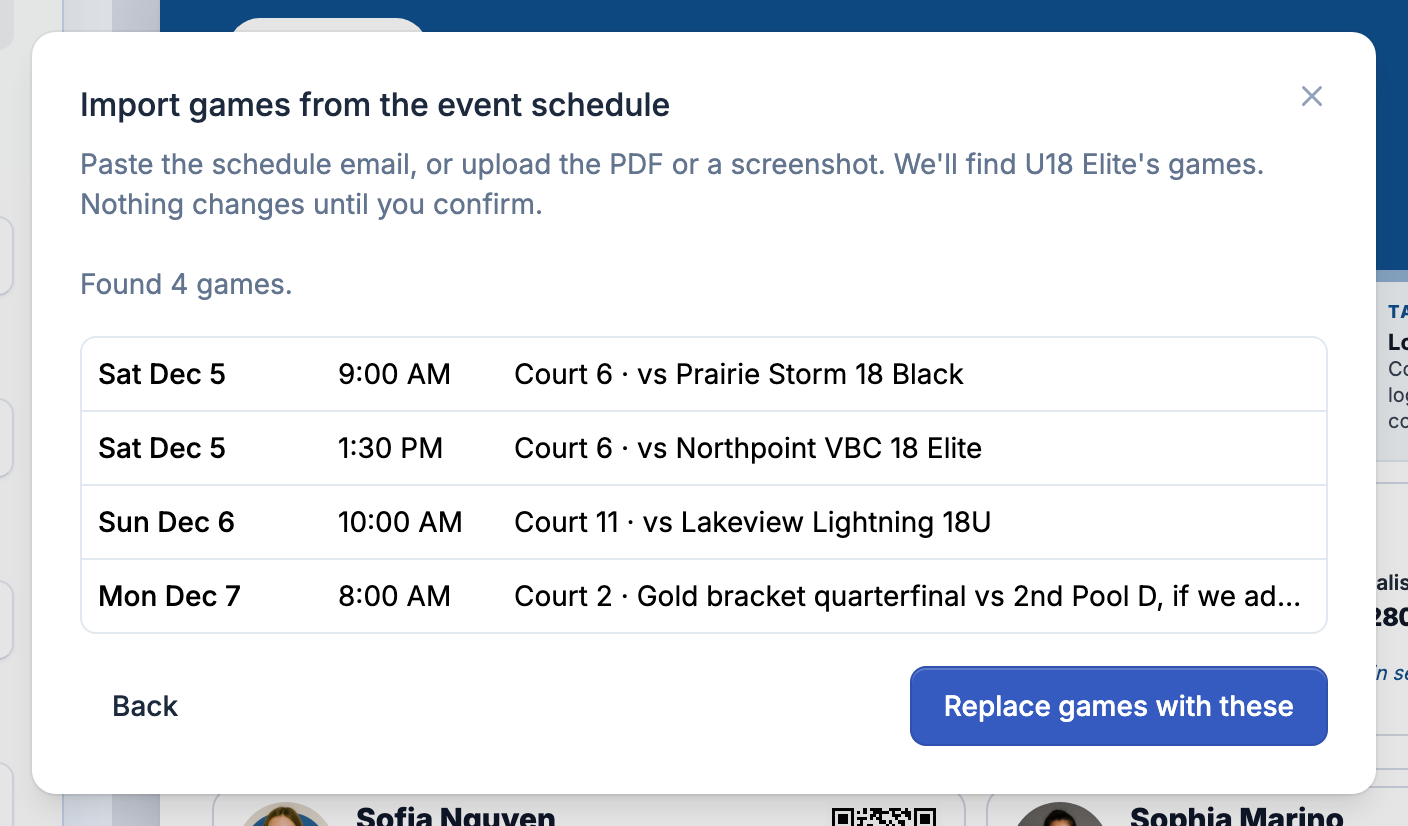
Don't want to type games in? Click Import from schedule and paste the event email or upload the PDF. It finds just your team's games, even in a pool schedule that lists every team, and nothing changes until you confirm.
Three layouts and a cover page
- Cards: 10 athletes per page with photos, QR codes, and room for a coach's notes.
- Roster: one row per athlete, best for big rosters.
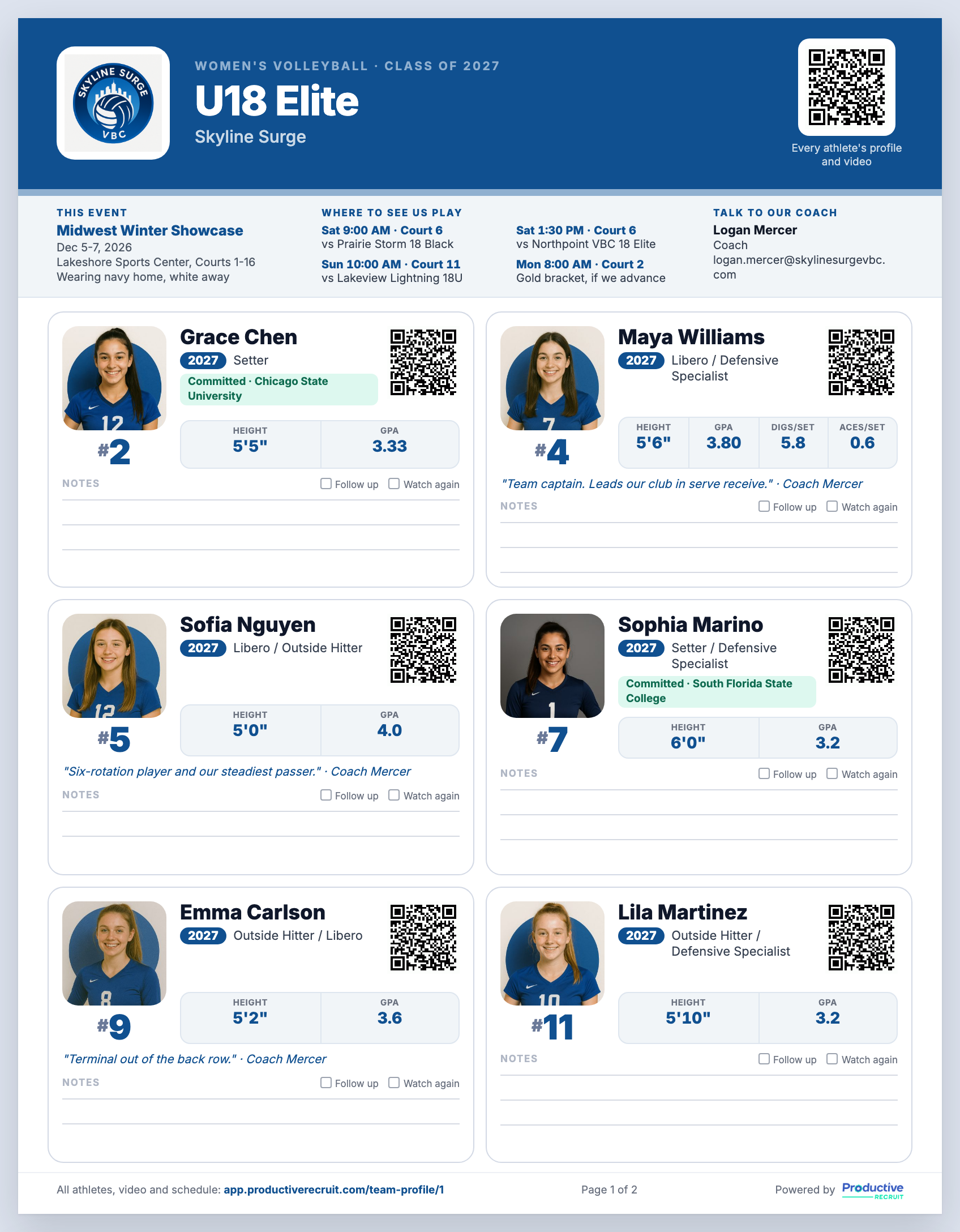
- Spotlight: 6 athletes per page with big photos and stats picked for their position.
Add a cover page for your game schedule, your staff contact, a short note, and a roster summary.
Try it
Already on ProductiveRecruit? Open any team and click Brochures. Your old print links still work and now open your team profile. The full walkthrough is in Team brochures & QR codes.
Run a club, high school, or recruiting service and want to see it with your roster? Book a demo.
Colin


Ready to start your recruiting journey?
Join 25,000+ athletes using ProductiveRecruit to connect with college coaches.