

New for Organizations: AI Email Templates Your Athletes Send as Their Own
Admins at clubs, high schools, and recruiting services can now have AI write email templates in the athlete's voice, for the whole roster or for one athlete from their full profile. Here's how it works and what else got better.

Colin McAtee
Founder

Your athletes have been able to write coach emails with AI since June. Now the people who run their recruiting can too.
Starting today, admins at clubs, high schools, and recruiting services can have AI write email templates on the Templates page. Write one template for your whole organization, or a few spaces, and every athlete in that group can send it as their own. Or write one for a single athlete from everything on their profile.
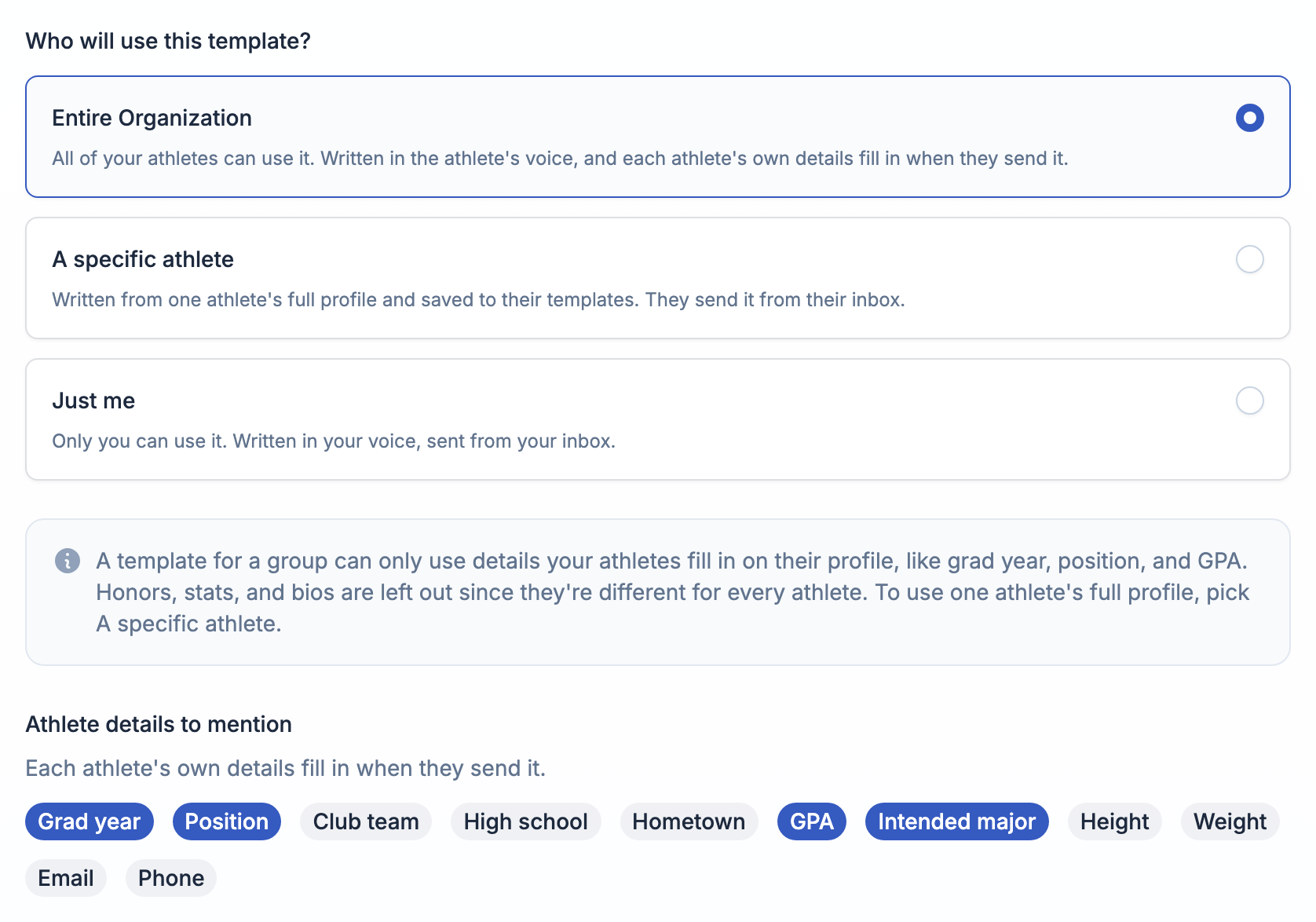
Written in your athlete's voice
When you open Create with AI, you pick who the template is for first, and that changes how it's written.
- Entire Organization or Specific spaces: it's written in the athlete's voice, because each athlete sends it from their own inbox. Under Athlete details to mention, tick what it can use, like grad year, position, GPA, or intended major. Each athlete's own details fill in when they send it.
- A specific athlete: it's written for one athlete, from their whole profile. More on that below.
- Just me: it's written in your voice, for you to send yourself.
Write one for a single athlete
A group template only mentions the details you tick, because it has to work for everyone. Sometimes one athlete needs more than that.
Pick A specific athlete and choose who it's for. You'll see what's on their profile, and the AI writes from all of it: honors, stats, academics, and a highlight video if you pick one. It's written in their voice and saved to their templates, marked as from you. They send it from their own inbox, like any other template.
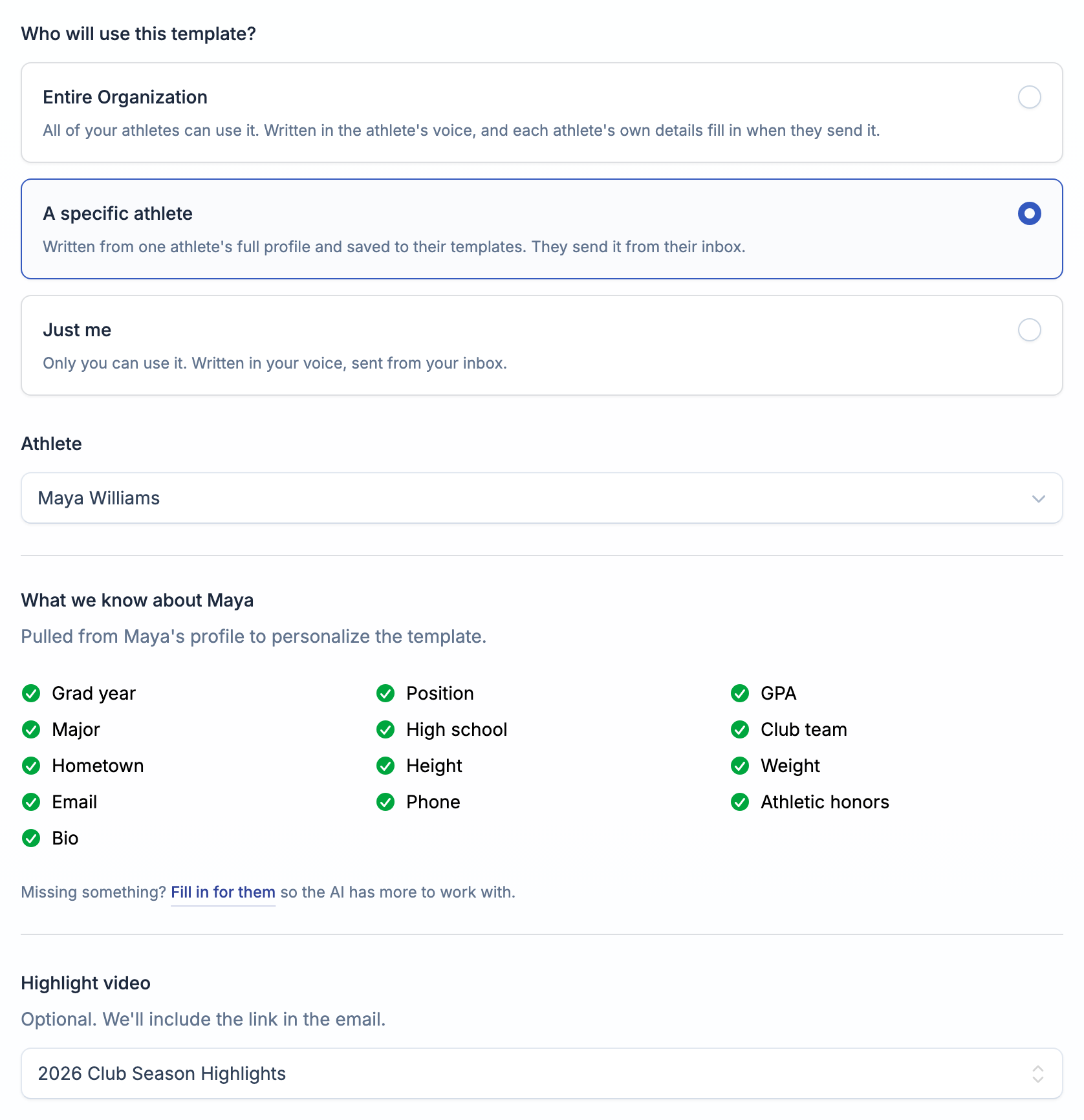
Coaches can do this too, for the athletes they coach.
Know it'll send right before your athletes use it
A group template that mentions GPA only works if every athlete has a GPA on file. So after it's generated, you'll see how many of your athletes are missing each detail it uses.
Then check it from their side. On the Preview tab, Preview as shows the template exactly as any one athlete would send it, with anything they haven't filled in called out.
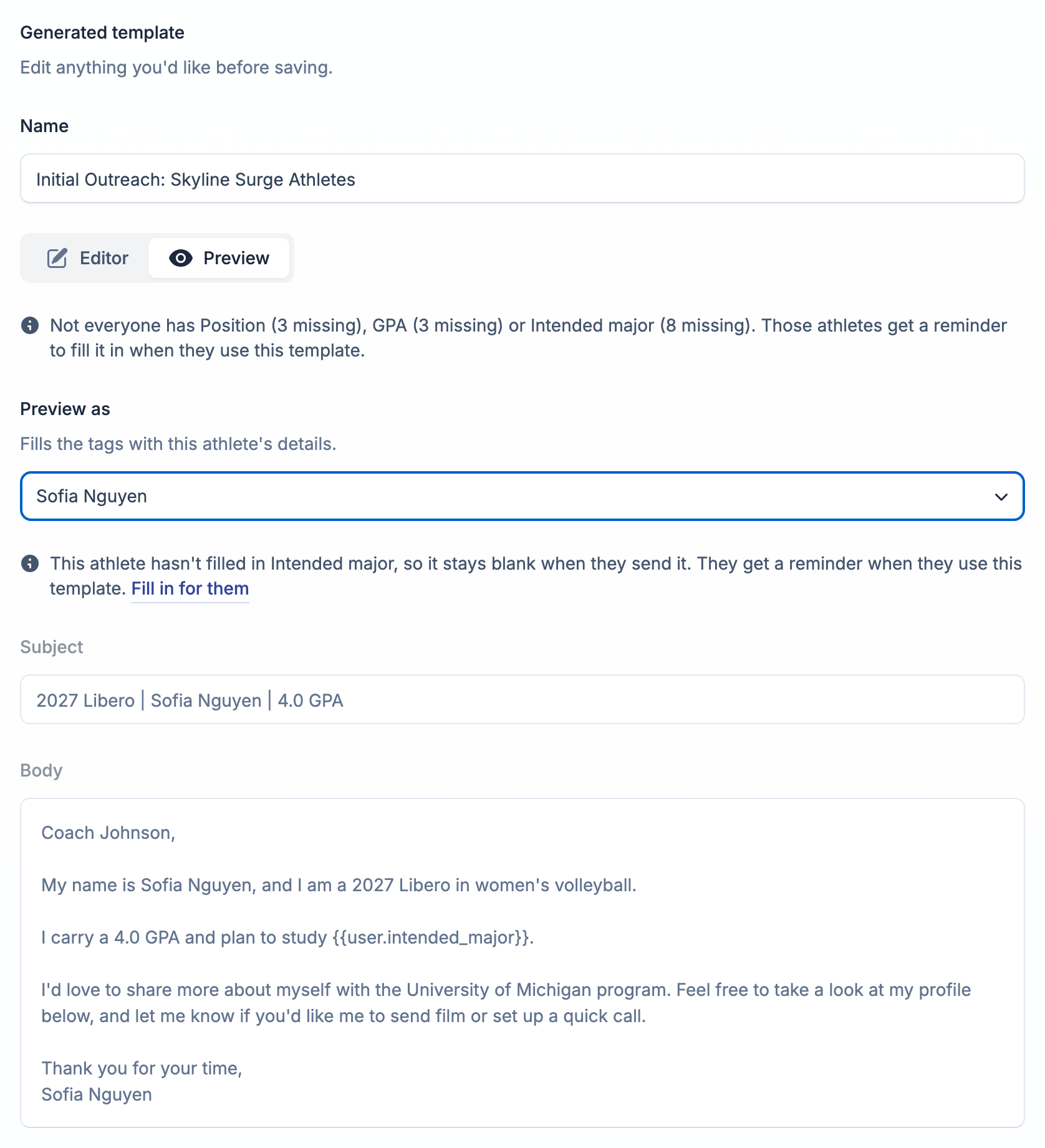
Missing something? Click Fill in for them, add the detail in a quick popup, and it saves to that athlete's profile. You never leave the page.
And if an athlete picks a template with a blank field anyway, they'll see a note telling them before they send.
Better templates for everyone
A few improvements came along with this, for athletes and staff:
- Smarter sign-offs. If you have an email signature, the AI ends with a short closing so your email doesn't sign off twice. It only puts in an email or phone number you actually have.
- Your signature in the preview. The preview shows the signature that gets added when you send, and you can edit it right there.
- No more raw tags. If a detail is blank, campaigns leave that spot empty instead of sending something like
{{athlete.gpa}}. - A newer AI model. Templates come out sounding more like a real athlete wrote them, and they stick to the details you actually have.
Try it
Already on ProductiveRecruit? Go to Templates, click Create, and pick Create with AI. Staff get 30 AI generations a month each on any paid organization plan, separate from your athletes'. A template you write for one athlete counts against yours, not theirs. The full walkthrough is in Shared email templates.
Run a club, high school, or recruiting service and want to see it with your roster? Book a demo.
Colin


Ready to start your recruiting journey?
Join 25,000+ athletes using ProductiveRecruit to connect with college coaches.