

ProductiveRecruit June 2026 Product Update
Campaigns and AI Email Templates went live, team schedules are here (with AI import), your templates can carry an attachment, and you can send yourself a test email before a coach ever sees it. Plus team profile upgrades and staff controls for clubs.

Colin McAtee
Founder

Campaigns and AI Email Templates are live
The big one first: Campaigns and AI Email Templates launched in June. You can now email up to 50 college coaches in one send, each email personalized from your template, sent from your own Gmail, and paced out so it lands like a real email. And AI can now draft your outreach templates from your actual profile.
We covered both in depth (with a full video walkthrough) in the launch post, so we won't repeat it all here. Read the full announcement.
Since launch, we've kept polishing:
- Your email signature now rides along on every campaign email, just like one-off emails. You'll see it right in the review step before you send.
- Live sending status. While a campaign is going out, emails show a pulsing "Processing" badge that flips to Sent in real time. No refreshing.
- Campaign context everywhere. Your Emails page now shows which campaign an email came from, and clicking any recipient on the campaign page opens the full email with its opens and clicks.
Attach a file to your email templates
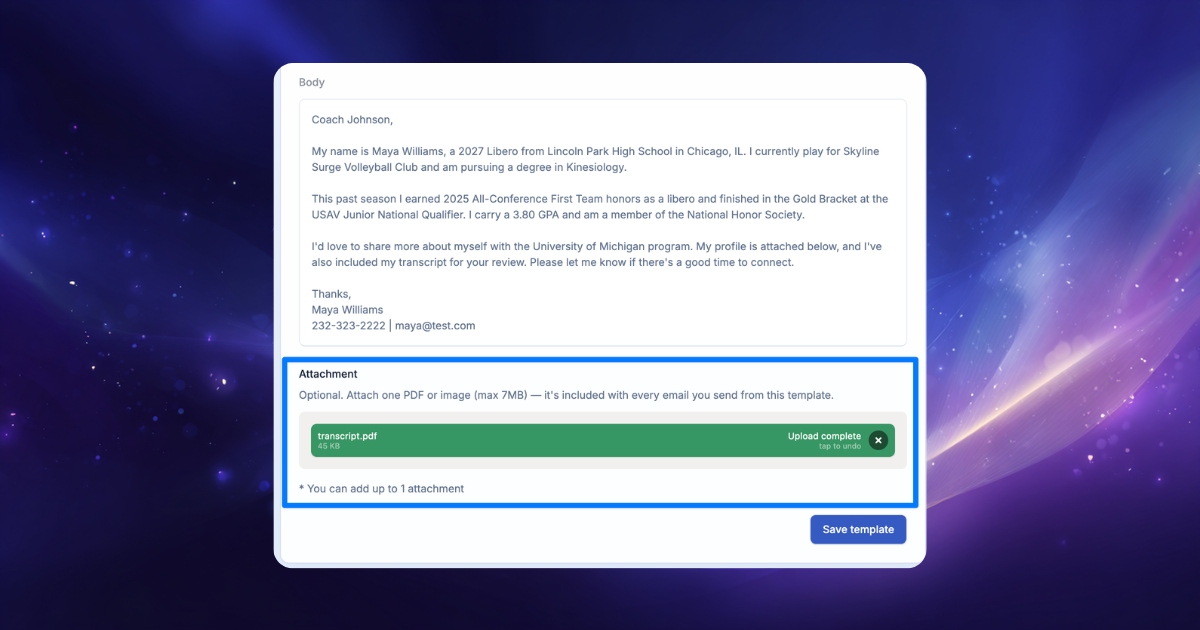
Templates can now carry an attachment: a PDF or image, up to 7MB. Add your player card, a schedule, or a highlight one-sheet when you create a template (AI-generated or manual), and it goes along for the ride:
- Pick that template in the composer and the file loads straight into your attachments, visible and removable before you send.
- Build a campaign from it and every coach gets the attachment, shown in the builder and on the review step so there are no surprises.
A paperclip icon in your templates list marks which ones have a file attached.
Send yourself a test email before a coach sees it
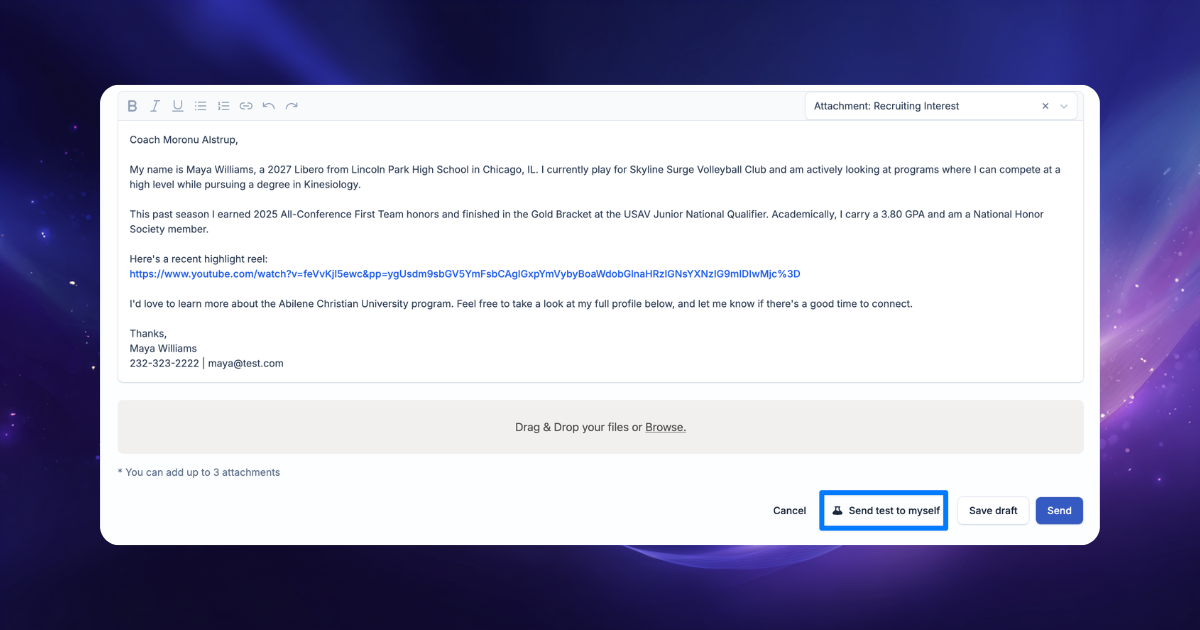
Ever wish you could see exactly what a coach is about to get? Now you can. Both the email composer and the campaign review step have a Send test button. It emails the message you're working on to your own inbox, with the real coach's details filled in and any attachments included.
No tracking, no email counted against your sending limits, nothing logged to the coach. Just a true preview in a real inbox.
Team profile pages got a serious upgrade
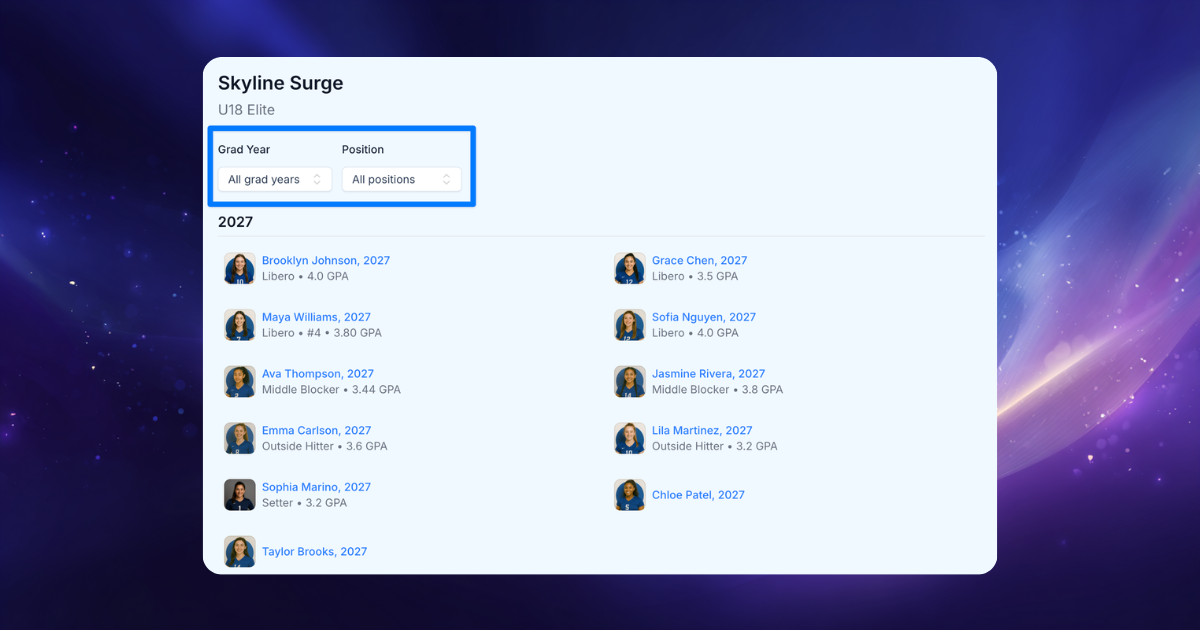
Public team profiles, the pages college coaches use to browse your club's rosters, got several fixes and features this month:
- Full rosters, no cut-offs. Long rosters used to look clipped behind an invisible scrollbar. Now every player shows.
- Grad year and position filters. Coaches (or anyone visiting) can filter a roster to exactly the class and position they recruit.
- A new "Grad Year & Position" ordering that groups the roster into grad-year sections, the way coaches actually scan a team.
- Faster loads on big rosters. The page paints instantly and the roster streams in.
Team schedules are here, and AI does the data entry
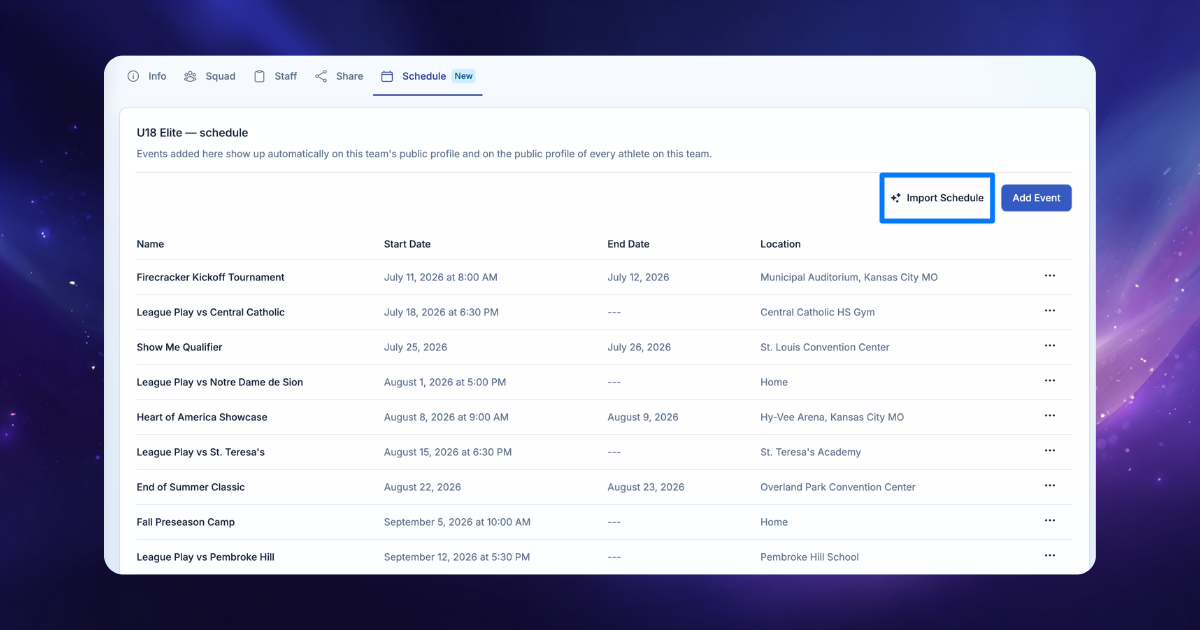
Just launched: every team now has a Schedule tab where coaches and team managers can manage the team's events (tournaments, games, showcases) with dates, start times, and locations. Running the same tournament with three teams? Add the event once and apply it to all of them.
The best part is what happens next: the schedule shows up everywhere it should, automatically.
- The team's public profile gets a Schedule section, so college coaches can see where your teams will be playing.
- Every player on the team gets those events on their own live profile, merged right in with their personal events. No duplicate data entry by athletes.
And you don't have to type the schedule in at all. Hit Import Schedule and upload whatever you already have (a CSV, a PDF, even a photo of the schedule) and AI extracts every event into a review table. Check it over, fix anything, and confirm. A full season imports in seconds.
For clubs: limit staff to the athletes on their teams
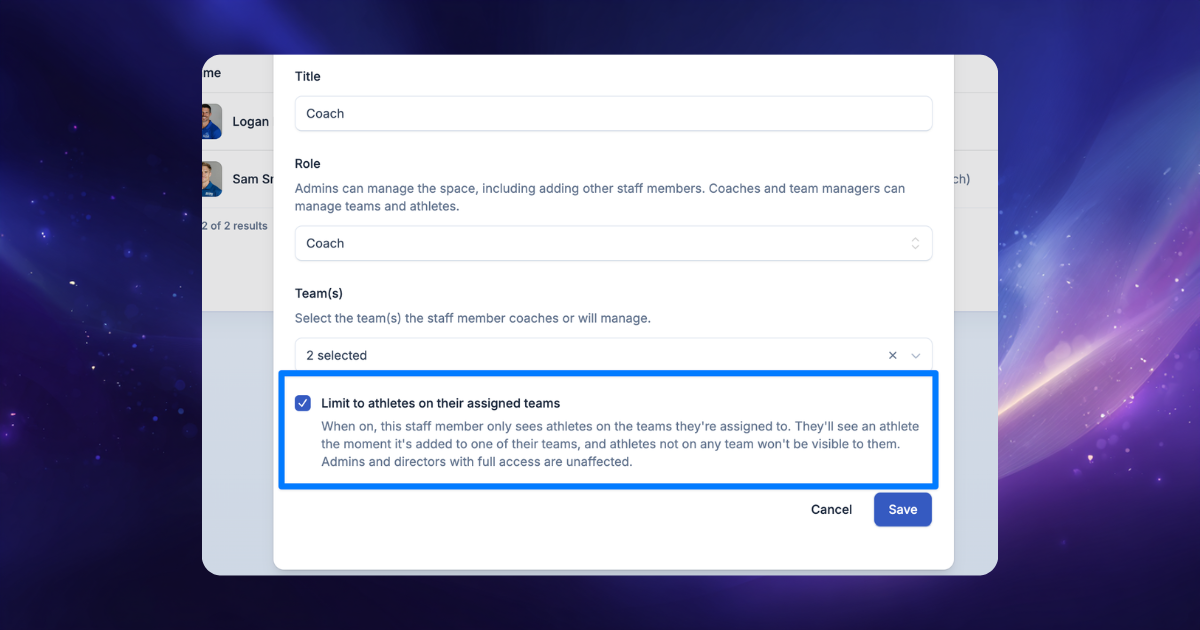
A new option for organizations: when inviting or editing a coach or team manager, admins can toggle "Limit to athletes on their assigned teams." A restricted coach only sees their own athletes across the athlete list, athlete profiles, the activity feed, and their dashboard stats.
It's opt-in, so nothing changes for your existing staff unless you turn it on. Admins always see everyone, and a lock icon on your staff list shows who's restricted.
Also for staff: the space activity feed can now be filtered by athlete, and the team picker in the invite/edit staff modals is searchable, so no more scrolling a long team list.
Coming soon: coach replies, right inside ProductiveRecruit
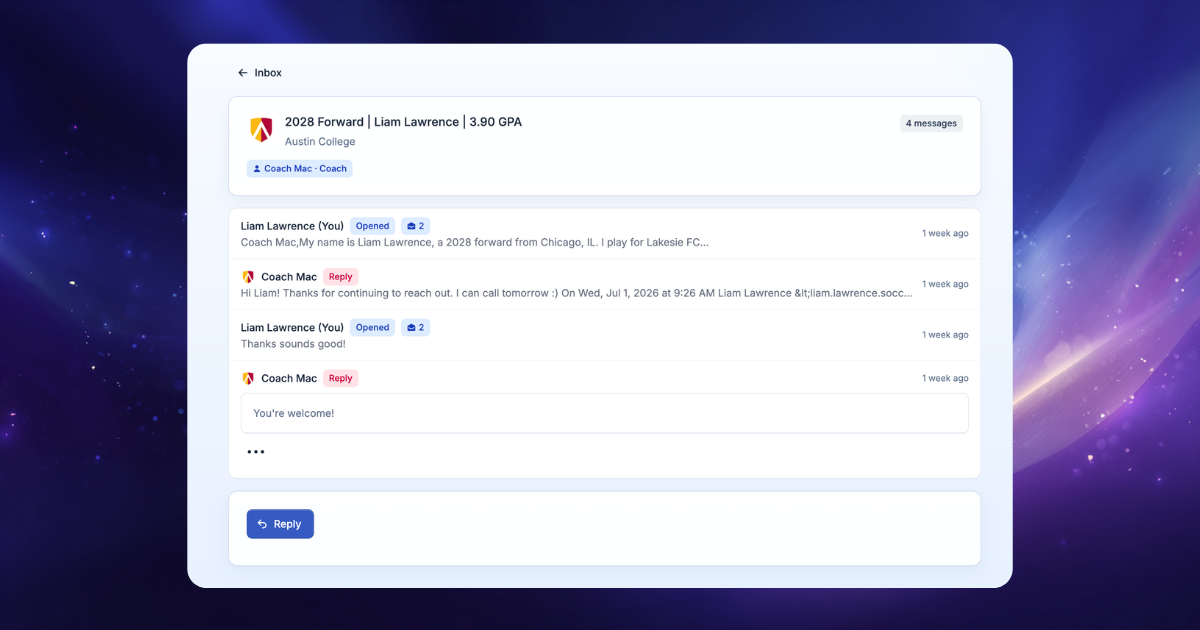
The next big thing is in early access now: reply tracking. When a coach replies to your outreach, the reply lands in ProductiveRecruit, threaded into a full conversation view with everything you've sent them. The inbox highlights which conversations need your reply, and you get a notification the moment a reply comes in.
That's it for June. As always, reply if something looks off or you've got an idea for what we should build next.
— Colin



Ready to start your recruiting journey?
Join 25,000+ athletes using ProductiveRecruit to connect with college coaches.