

Your Team Pages Now Match Your Brochures
We rebuilt team and organization profiles to match your team brochures: your logo and colors up front, athlete cards built the way coaches read, your game times for the next event, and one link for your whole program.

Colin McAtee
Founder

Last week we rebuilt team brochures. Every brochure has a team QR code, and when a coach scans it, it opens your team's page on ProductiveRecruit. That page still looked like the old version: our logo up top next to yours, a plain grid, and two dropdown filters.
So we rebuilt that too, along with your organization's page.
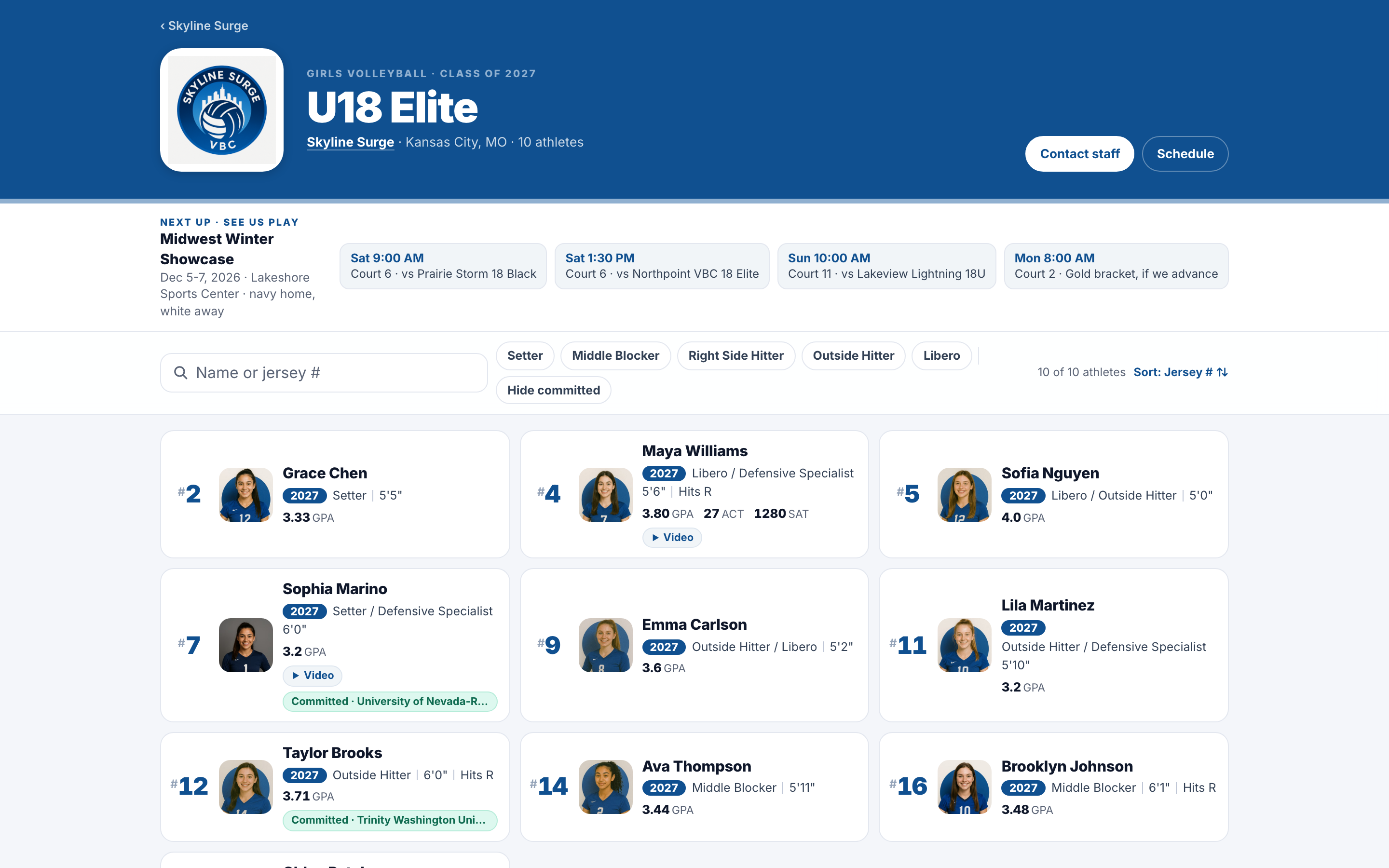
Your team page, in your colors
- Your logo leads. Your logo and colors run the header. ProductiveRecruit moves to a small "Powered by" line at the bottom.
- Cards built the way coaches read. Jersey number first, then grad year, position and size, academics, and a badge if there's video. Tap any card for the athlete's full profile.
- Commits stay on the roster. Committed athletes keep their spot with a green badge showing the school. Coaches can hide them with one tap.
- Find anyone fast. Search by name or jersey number, filter by class or position, and sort by number or class.
- See us play. Your next event sits right up top with your game times, pulled from that event's team brochure.
- Reach the staff. Coaches are listed with Email and Text buttons.
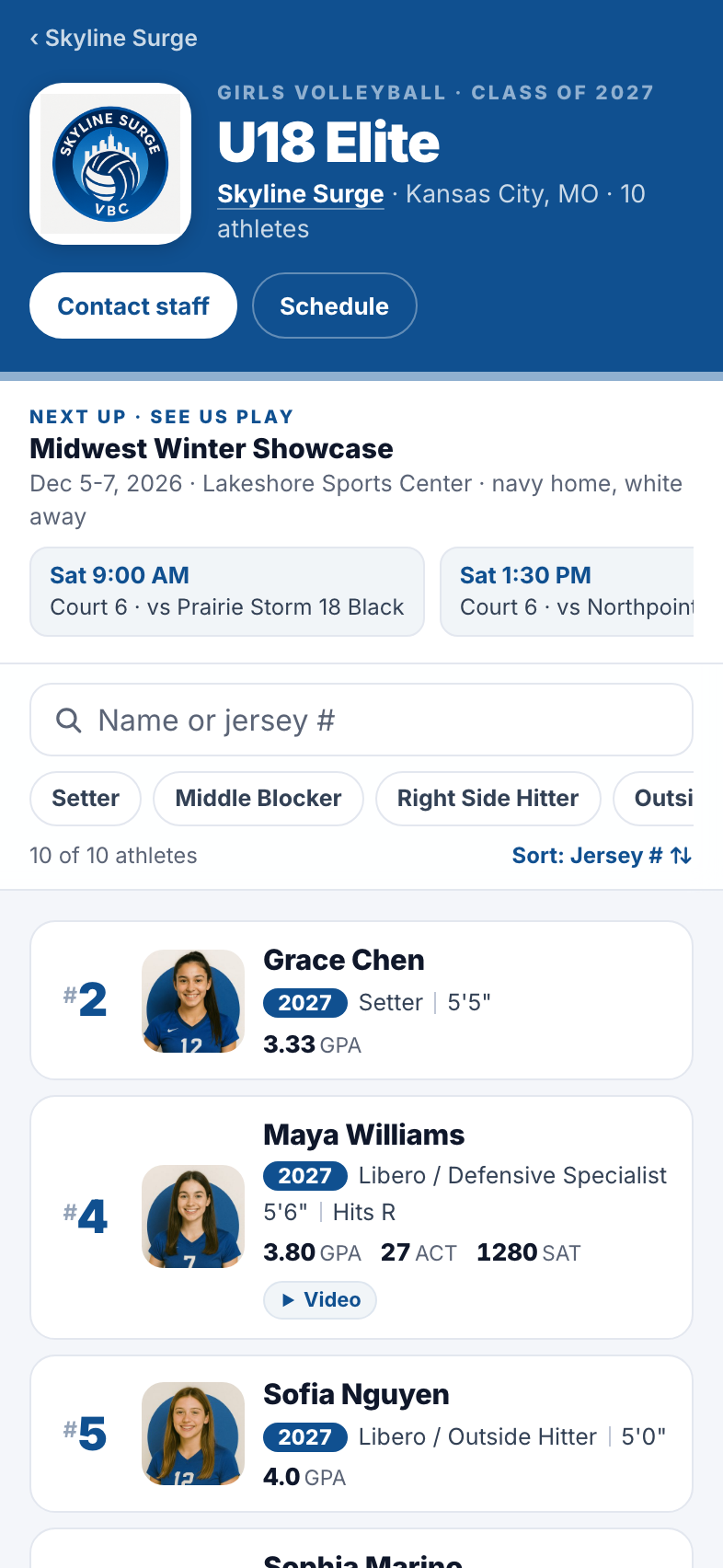
Built for a phone at the field
Most coaches open these from a QR code on the sideline, so we built the page for one hand on a phone. Search and filters are instant, and the jersey number is the first thing on every card, so a coach watching #14 can pull up that player in a second.
One link for your whole program
Your organization profile (your club, school, or business profile) is now one page with everything a coach needs: every team in your colors, your recent commitments, a search across every athlete, and one recruiting contact to reach out to.
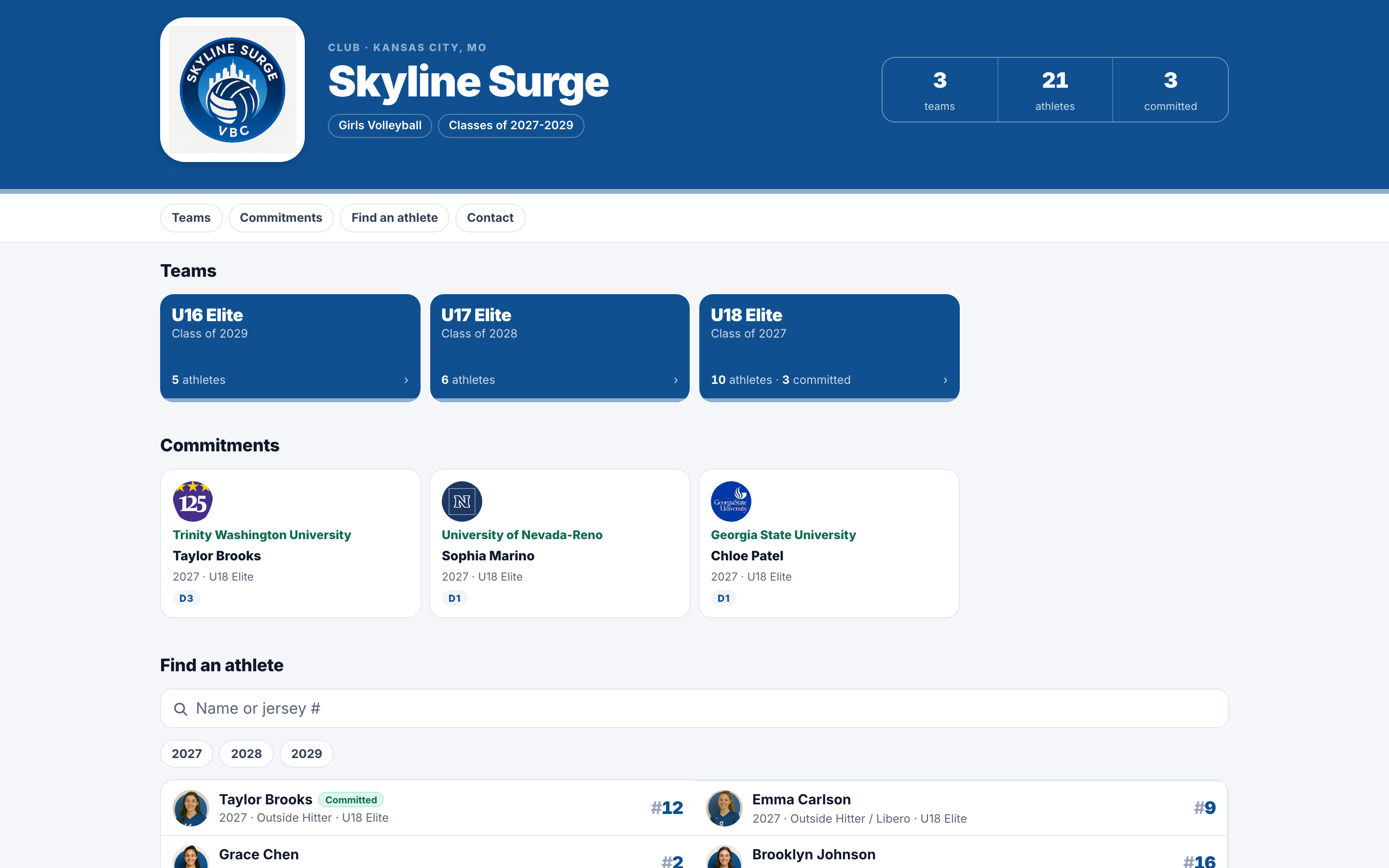
You pick the recruiting contact in Settings. And if you have a team that isn't really a roster, like a position group or a prospect list, you can keep it off your organization profile without breaking its own page.
Links that look like yours
When you text a link to a coach or post it, the preview now shows your logo on your colors instead of ours.
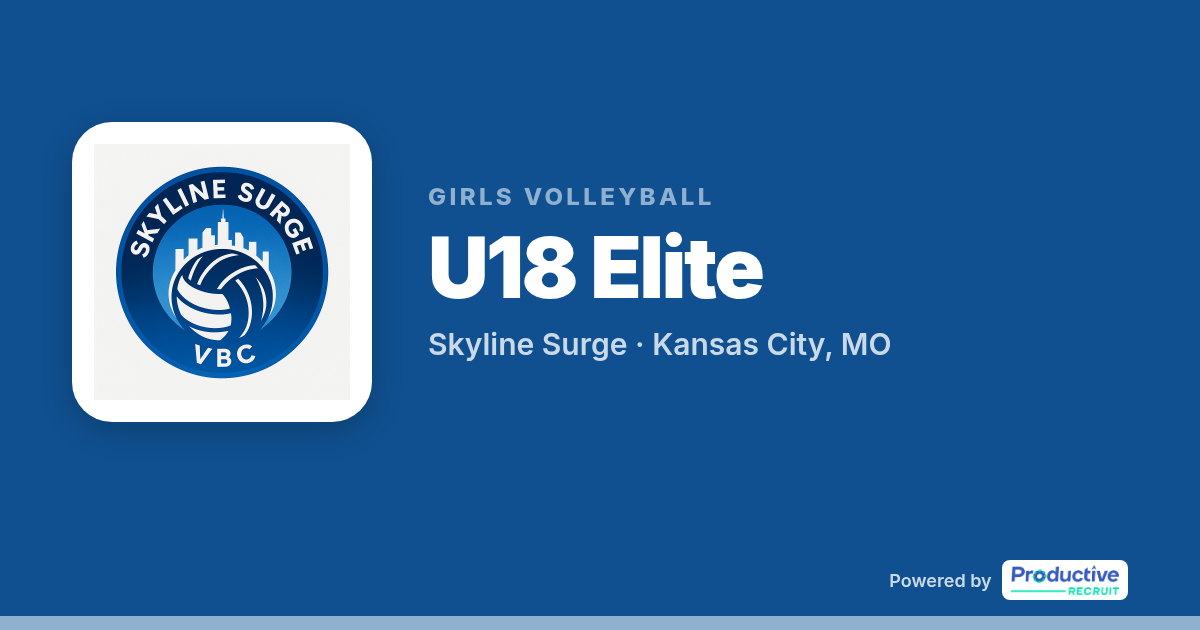
Try it
Already on ProductiveRecruit? Open any team and click Public page, or click Public profile in your space menu to see your organization's page. Your existing links and QR codes didn't change. The details are in Team profiles and Your organization profile.
Run a club, high school, or recruiting service and want to see it with your roster? Book a demo.
Colin


Ready to start your recruiting journey?
Join 25,000+ athletes using ProductiveRecruit to connect with college coaches.