

ProductiveRecruit September 2026 Product Update
The engagement score shows which coaches are actually leaning in. Plus cancel a campaign mid-send, click counts you can trust with email scanners filtered out, AI templates that use the details you give them, and help with broken template tags.

Colin McAtee
Founder

September's biggest launch tells you which coaches are actually interested in you. It got its own post, so here's the short version, followed by everything else that shipped this month.
The engagement score
Every program you email now has a score built from what its coaches actually did with your outreach: replies, clicks, profile views, and opens. Your schools are ranked by it on the Engagement page, and it shows on your dashboard and target list too, so you know who to follow up with first. Here's how it works.
Cancel a campaign mid-send
Spotted a typo right after you hit send? Campaign emails go out a minute or two apart, so most of them haven't left yet. Now you can stop them. Click Cancel remaining sends on the campaign's review page, or the cancel icon next to View on your Campaigns list, and confirm.
Emails that already went out stay sent. Everything else is marked Cancelled and never leaves, and the review page shows exactly how many went out before you stopped it. Cancelling is permanent, so fix the problem and start a new campaign for the coaches who didn't get it. Cancelled emails don't count toward your daily sending limit, so you can resend the same day.
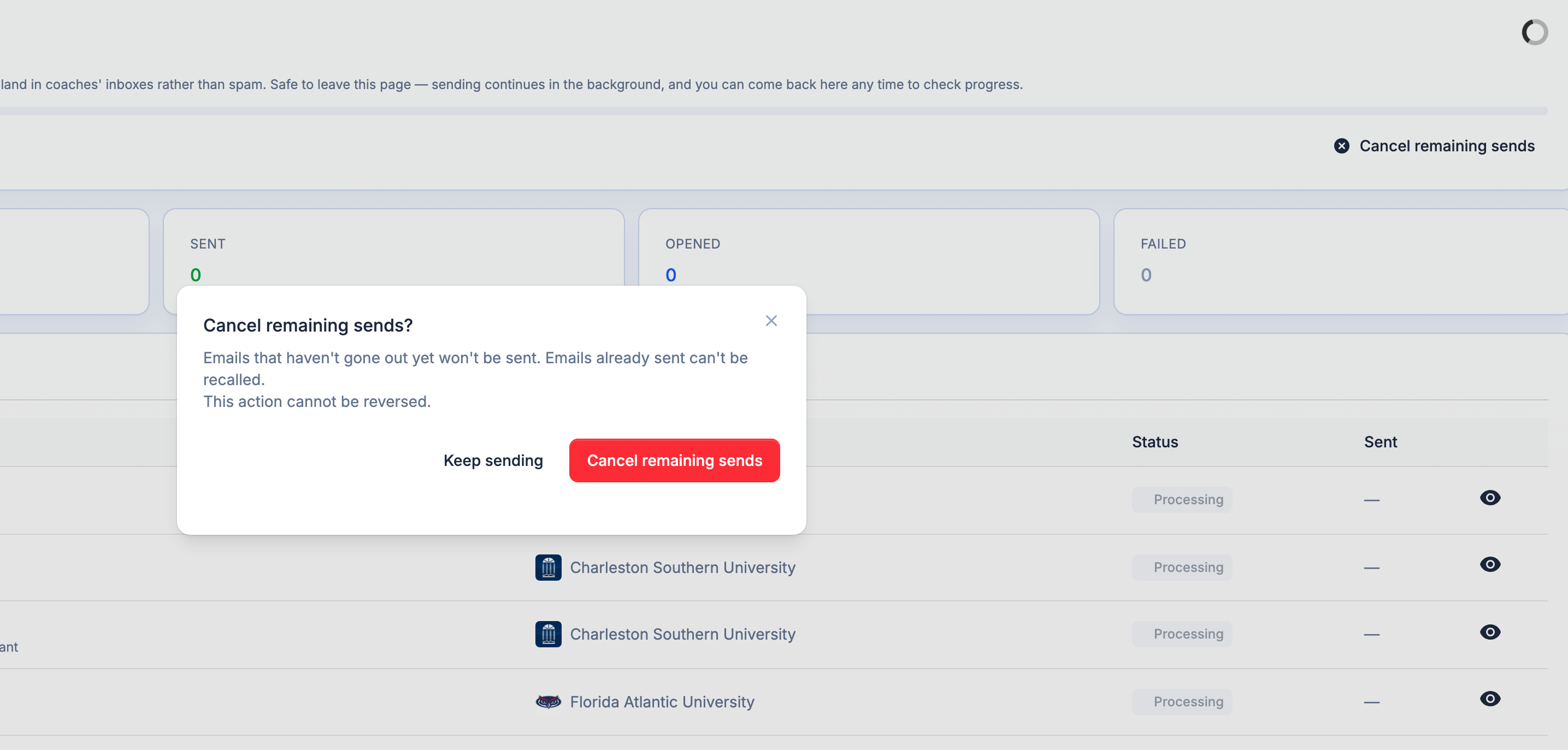
The details are in Cancelling a campaign.
Click counts you can trust
A lot of colleges use email security software that automatically clicks every link in an incoming email to make sure it's safe. We've always filtered most of those out, but some newer security tools were slipping through as coach clicks. We improved our filtering to catch them, so they stay out of your clicks, profile views, and engagement score. If your numbers look a little lower, that's why: the clicks you see now come from real people.
AI templates use what you tell them
The AI template generator has an Anything else? box for details you want in your email: new film, a tournament result, an injury update. Those details didn't always make it into the draft. Now whatever you type there goes into the email as its own sentence, and the email can run a little longer to fit it.
Two things it still leaves out on purpose: notes meant for one specific coach or school, like "we met at your camp last weekend," because the same template goes to every coach. Camp invite responses are the exception for camp details, so the camp name, dates, and whether you're attending all stay in.
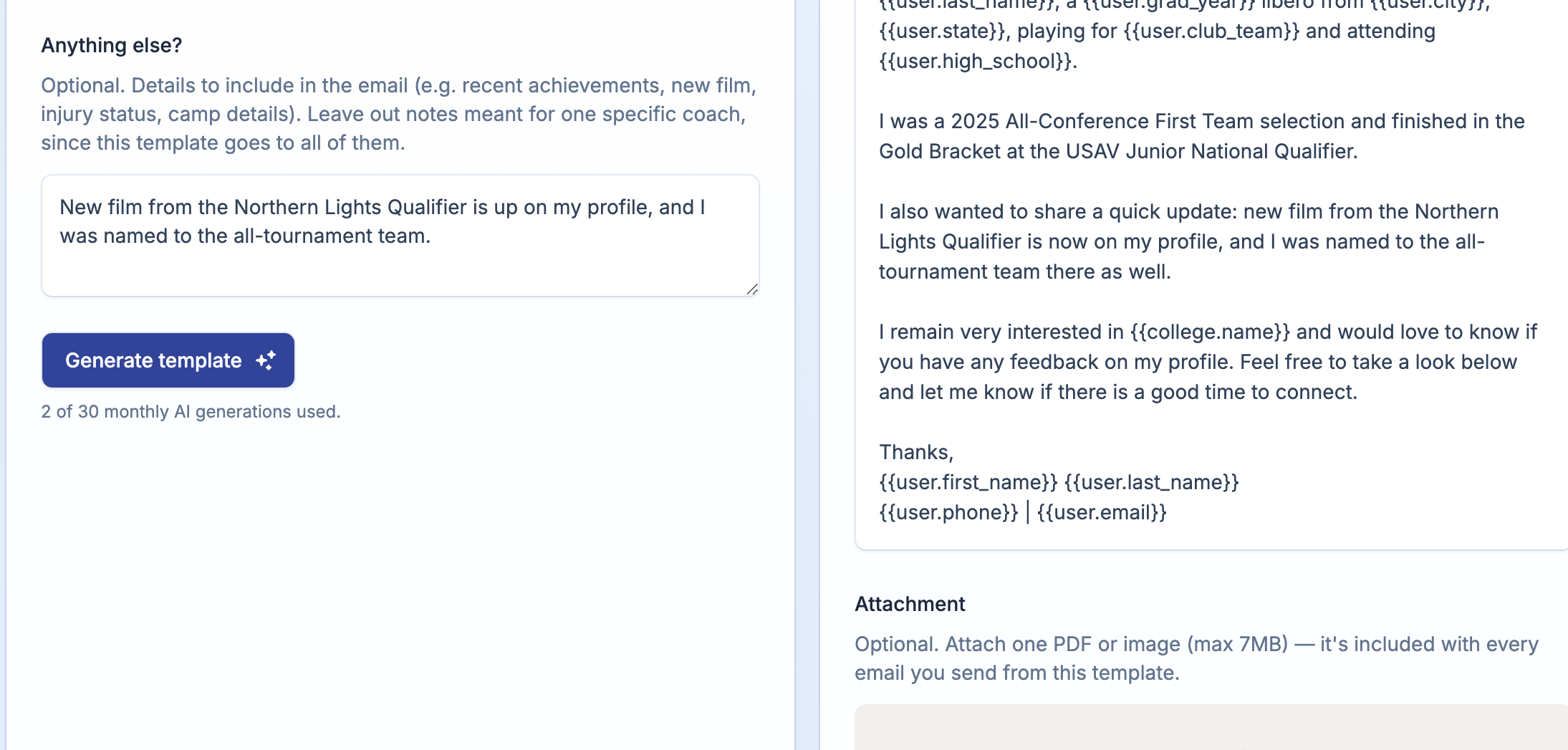
Follow-ups get better too. A follow-up needs a reason to write again, and it now takes that reason from what you typed instead of skipping it. See AI email template generator.
Help with broken template tags
Some template tags look like web addresses. {{college.name}} ends in .name, which is a real domain ending, and {{user.club_team}} starts with user.club. Paste a template in from Gmail or Google Docs and those tags can turn into blue links. A linked tag never fills in, so the coach sees the tag instead of their school's name.
Three fixes we made:
- The editor stops making links out of tags as you type.
- Templates already saved with a linked tag now fill in correctly when you send. No re-save needed.
- You get a warning before it goes out. Open or save a template with a broken tag and a warning lists every one. Links and formatting inside the braces get a Fix it for me button. Typos like
{{coach.nickname}}or a missing brace get flagged so you can fix them by hand, and the template can't be saved until they're fixed.
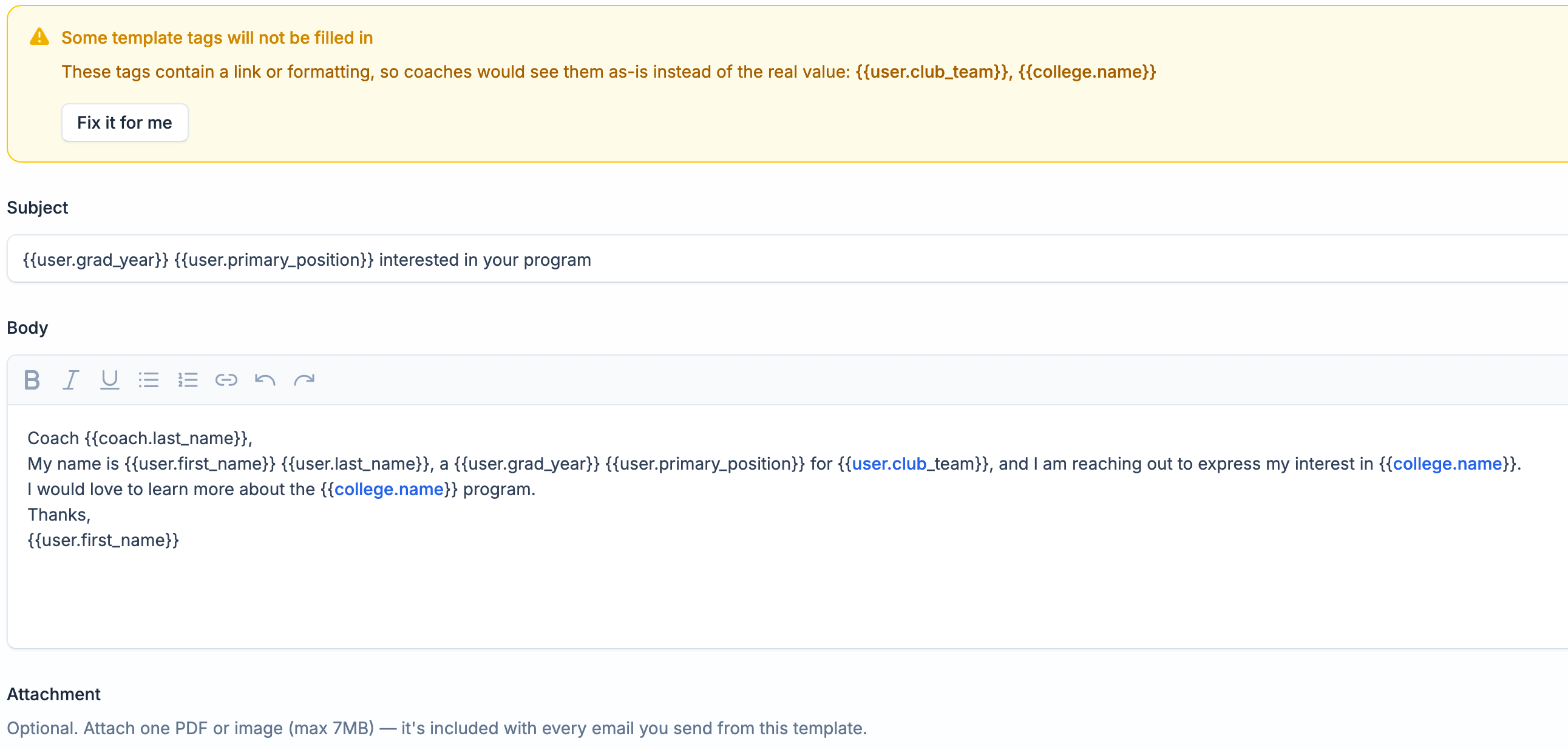
More in Email templates & variables.
In case you missed it: College Matching
We launched College Matching on October 7. Tell us what you want in a college and every program in your sport and divisions gets a match %, ranked from best fit down, with the reasons behind it. Open Colleges, then Matches, and fill in a few preferences to get your list. Read the launch post.
That's it for September. Reply if something looks off or you've got an idea for what we should build next.
— Colin


Ready to start your recruiting journey?
Join 25,000+ athletes using ProductiveRecruit to connect with college coaches.