

This guide takes you from a brand-new account to your first coach email in about 20 minutes. Work through it in order, since each step builds on the last.
1. Build your profile
Coaches decide in seconds, so lead with substance. Add your grad year, position, height, and contact info, then your academics and athletic stats. A complete profile is the single biggest driver of coach interest.
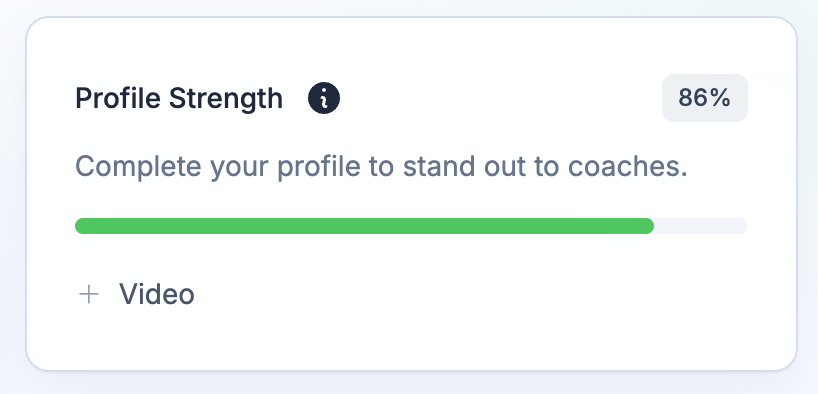
Your dashboard shows a profile-strength meter with the exact items left to finish. Full walkthrough: Building your profile.
2. Add your highlight video
One strong highlight video matters more than anything else on your profile. Paste a link from YouTube, Hudl, Balltime, or Vimeo and set it as your featured video. See Adding & featuring videos.
3. Connect your email
ProductiveRecruit sends from your own Gmail, so replies land in your inbox and your outreach looks personal, not like a mass blast. Connecting takes one click. See Connecting your Gmail account.
4. Find colleges and build your target list
Search the college database by division, conference, location, size, and major, then save schools to your target list. Create your own custom tags to organize it however you think about your list — "Reach," "Safety," "Dream School," "Academic Fit," whatever helps you prioritize. See College search & filters, Building your target list, and Tags & prioritization.
5. Send your first email
Find a coach on one of your target schools and open the composer from their program page. Pick a template (or generate one with AI) and it fills in the coach, the college, and your details automatically. Hit send and watch your activity feed for opens, clicks, and profile views.
See Sending a single email, then scale up with campaigns.
What's next
- Set up tasks and reminders so follow-ups never slip.
- Learn what coach engagement actually means in Opens, clicks & views explained.
- Going Pro unlocks unlimited emails, schools, and templates — see Choosing a plan.
- Want to see it all in action first? Watch the full-length athlete demo, unscripted, every screen.